

Most small business owners assume cloud hosting is reserved for large corporations with big IT budgets. That assumption is costing them. Cloud hosting has become one of the most accessible and practical tools available to small businesses, offering the kind of reliability and flexibility that used to require a dedicated server room.
What Is Cloud Hosting and Why It Matters
Cloud hosting is a way of running your website on a network of connected servers rather than a single physical machine. Instead of your site living on one computer in a data center, it draws resources from a pool of servers. If one server has an issue, another picks up the load without your visitors noticing anything.
Traditional hosting ties you to one machine, which means if it goes down, your site goes down with it. Cloud hosting eliminates that single point of failure.
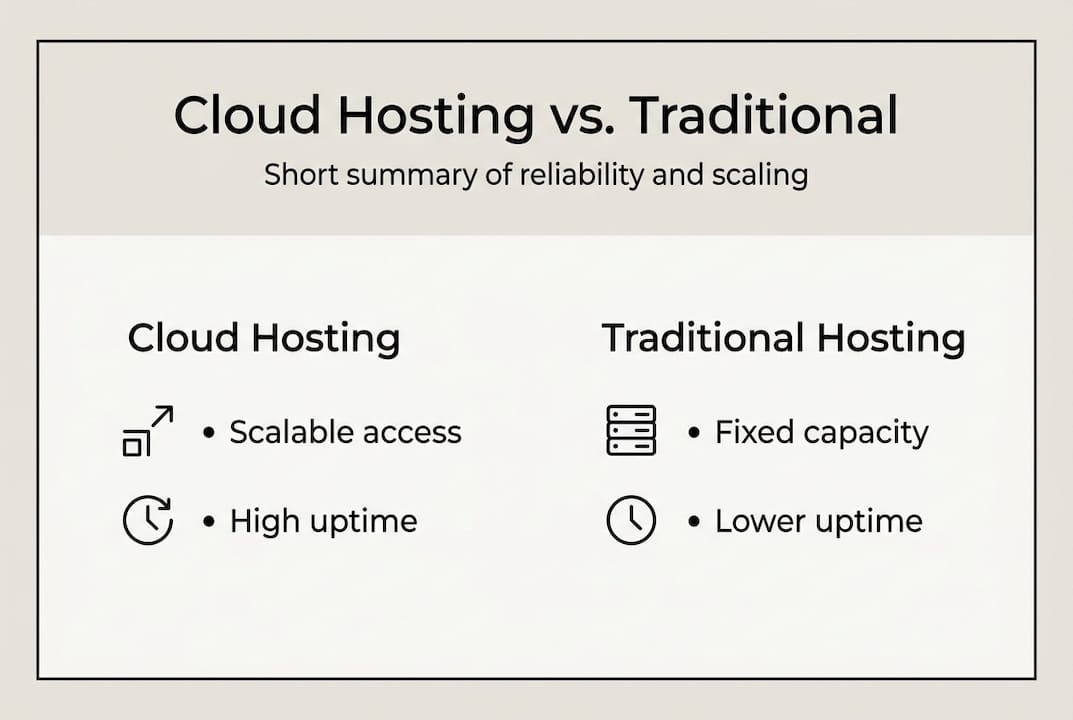
| Feature | Cloud Hosting | Traditional Hosting |
|---|---|---|
| Uptime reliability | 99.96%+ | 99.5% or lower |
| Scalability | Automatic, on demand | Manual upgrades required |
| Cost model | Pay as you go | Fixed monthly fee |
| Server dependency | Multiple servers | Single server |
| Setup complexity | Managed options available | Varies by provider |
Key advantages for small businesses:
- Scalability: Resources expand automatically when traffic increases
- Reliability: No single point of failure means fewer outages
- Cost efficiency: You pay for what you use, not a fixed allocation
- Geographic reach: Content can be served from servers closest to your visitors
- Faster recovery: Backups and failover are built into the infrastructure
Pro Tip: If you're new to cloud hosting, start with a managed service. Managed providers handle server configuration, updates, and security patches for you — no deep technical knowledge required.
How Cloud Hosting Supports Your Business Operations
Uptime is the most immediate benefit. Cloud providers consistently deliver 99.96 to 99.99% uptime, compared to traditional hosting which often falls short. For a small business, even a few hours of downtime per year can mean lost sales and damaged trust.
Automatic scaling is the other game changer. Imagine you run a promotion and your website traffic triples overnight. With traditional hosting, your site would likely slow to a crawl or crash. Cloud hosting detects the spike and allocates more resources in real time.

| Metric | Cloud Hosting | Traditional Hosting |
|---|---|---|
| Average uptime | 99.96 to 99.99% | 99.0 to 99.5% |
| Time to first byte (TTFB) | Under 200ms | 300 to 600ms |
| Traffic scaling | Automatic | Manual |
| Backup frequency | Continuous or daily | Weekly or manual |
Practical scenarios where cloud hosting makes a real difference:
- Seasonal traffic surges: A retail business seeing holiday spikes stays online without manual server upgrades
- Product launches: A new service announcement drives sudden traffic without crashing your site
- Remote team access: Multiple staff members access your website backend from different locations reliably
- Media-heavy content: Video or image-rich pages load faster with distributed server networks
- Security incidents: Automatic failover keeps your site up even when one node is under attack
Pro Tip: Set up usage alerts with your cloud provider. Auto-scaling is powerful, but without spending caps or notifications, a traffic spike could result in a surprisingly large bill at the end of the month.
Financial Impact of Cloud Hosting for Small Businesses
The pay-as-you-go model is the biggest financial shift from traditional hosting. Instead of paying a fixed monthly fee whether you use all your resources or not, you only pay for what your site actually consumes.
Research shows that small businesses achieve a 30 to 40% total cost of ownership reduction through pay-as-you-go cloud models. 76% of businesses reported cost savings after switching to cloud hosting, and 82% reported operational efficiency gains.
What drives those savings:
- No capital expenditure: No need to purchase or maintain physical servers
- Reduced IT overhead: Managed services handle infrastructure so you don’t need dedicated IT staff
- Right-sizing: You consume only what you need, month to month
- Built-in redundancy: Backup and failover are included, not add-ons
| Cost area | Traditional hosting | Cloud hosting |
|---|---|---|
| Server hardware | High upfront CapEx | None |
| Scaling costs | Manual, expensive | Automatic, usage-based |
| Maintenance | IT staff or outsourced | Included in managed plans |
| Downtime cost | High (lost sales) | Minimal (high uptime) |
| Backup systems | Often extra cost | Built in |
Challenges and Strategic Considerations
Cloud hosting has real advantages, but it also has trade-offs worth understanding before you commit.
Vendor lock-in is the biggest strategic risk. If your site's architecture depends on features specific to one provider, switching becomes expensive and complex. Mitigate this by storing content in open formats, using standard protocols, and documenting your setup thoroughly.
Egress fees are a common surprise. These are charges for transferring data out of the provider's network. They can add up unexpectedly if you serve media-heavy content or move data between providers. Check egress pricing before choosing a provider.
Compliance complexity varies by industry. Healthcare (HIPAA), payment processing (PCI DSS), and certain financial services have specific data storage and security requirements. Verify that your cloud provider supports your compliance obligations before migrating.
Shared infrastructure risks are worth acknowledging. In multi-tenant environments, your performance can occasionally be affected by other customers on the same physical infrastructure. Premium tiers and dedicated resources reduce but don’t eliminate this.
Strategies to reduce risk:
- Start with a managed provider so the technical burden doesn’t fall on you
- Use open file formats and standard protocols to avoid proprietary lock-in
- Set monthly spending caps and usage alerts from day one
- Review your cloud bill quarterly to identify unused resources or unexpected charges
- Confirm compliance support with your provider before storing sensitive data
What Most Cloud Hosting Guides Miss
Most cloud hosting guides focus on features and pricing tiers. What they rarely address is the gap between choosing a provider and actually benefiting from one.
The businesses that get the most from cloud hosting don’t just pick a plan — they have someone managing it. They monitor performance, catch billing anomalies early, optimize configurations over time, and know when to scale up or consolidate. That ongoing attention is what turns a capable hosting platform into a business asset.
For most small business owners, the right answer isn’t researching cloud providers and configuring servers yourself. It’s finding a managed website service that already uses reliable cloud infrastructure and handles the technical layer for you. You get the benefits — uptime, speed, scalability — without the management burden.
Looking for Reliable Cloud Hosting?
At Vegas Solutions, every website we build and manage is hosted on cloud infrastructure with monitoring, backups, and uptime checks built in. You don’t have to think about servers, egress fees, or scaling configurations — that’s handled. If your current hosting is slow, unreliable, or something you’ve never thought twice about, let’s talk about what managed hosting could do for your site.


