In 2026, a local business without a strong website is not just behind the competition — it is effectively invisible to the customers already searching for exactly what it offers. Every day, people in your city or town open Google and type in what they need. If your business does not show up, someone else's does. That lost visibility is not an abstract problem. It is real customers choosing a competitor because they could find them and could not find you.
The good news is that building a website that actually works for a local business is not as complicated as it looks from the outside. The problem most owners run into is not a lack of options — it is too many options with no clear path through them. Which platform should you use? What pages do you need? How do you show up on Google Maps? What does "mobile-friendly" actually require?
This guide answers all of it. From planning and platform selection through design, local SEO, and post-launch maintenance, you will have a clear, practical framework for building a local business website that brings in real customers.
Planning Your Local Business Website: Laying the Foundation
Before a single page is designed or a domain is registered, the businesses that end up with effective websites spend time on planning. Every technical decision downstream gets dramatically easier when you have answered a few foundational questions first.
Define Your Goals
What do you actually want your website to do? The answer shapes everything. A plumber primarily wants the phone to ring, so the site needs to make calling as easy as possible from any page. A bakery might want online orders or event bookings. A law firm needs to establish credibility before a visitor ever makes contact. A contractor needs to showcase past work and collect quote requests. Get specific about what a successful website visit looks like for your business — that definition becomes the design brief.
Identify Your Target Audience
Who are your local customers? What neighborhoods do they live in? What problems are they trying to solve when they reach your site? How technically comfortable are they? A residential HVAC company serving retirees needs different design choices than a commercial cleaning company whose clients are office managers making B2B decisions. The clearer your picture of the person landing on your site, the more precisely you can build for them.
Competitor Analysis
Spend an hour looking at the websites of three to five local competitors. Not to copy them — to understand what the baseline looks like in your market and where the gaps are. Note what information is easy to find on their sites, what is missing, how fast pages load, whether the mobile experience works, and what their calls to action are. The goal is to build something that does what they do well and clearly does what they do poorly.
Content Strategy
Before you can build pages, you need to know what goes on them. Make a list of the information your customers actually need: what services you offer, what areas you serve, what your process looks like, what you charge or how pricing works, what past customers say about you, and how to reach you. This inventory becomes your content plan. Businesses that skip this step end up with placeholder pages that never get filled in — and a site that underperforms indefinitely.
Choosing the Right Platform: Website Builders vs. Custom Solutions
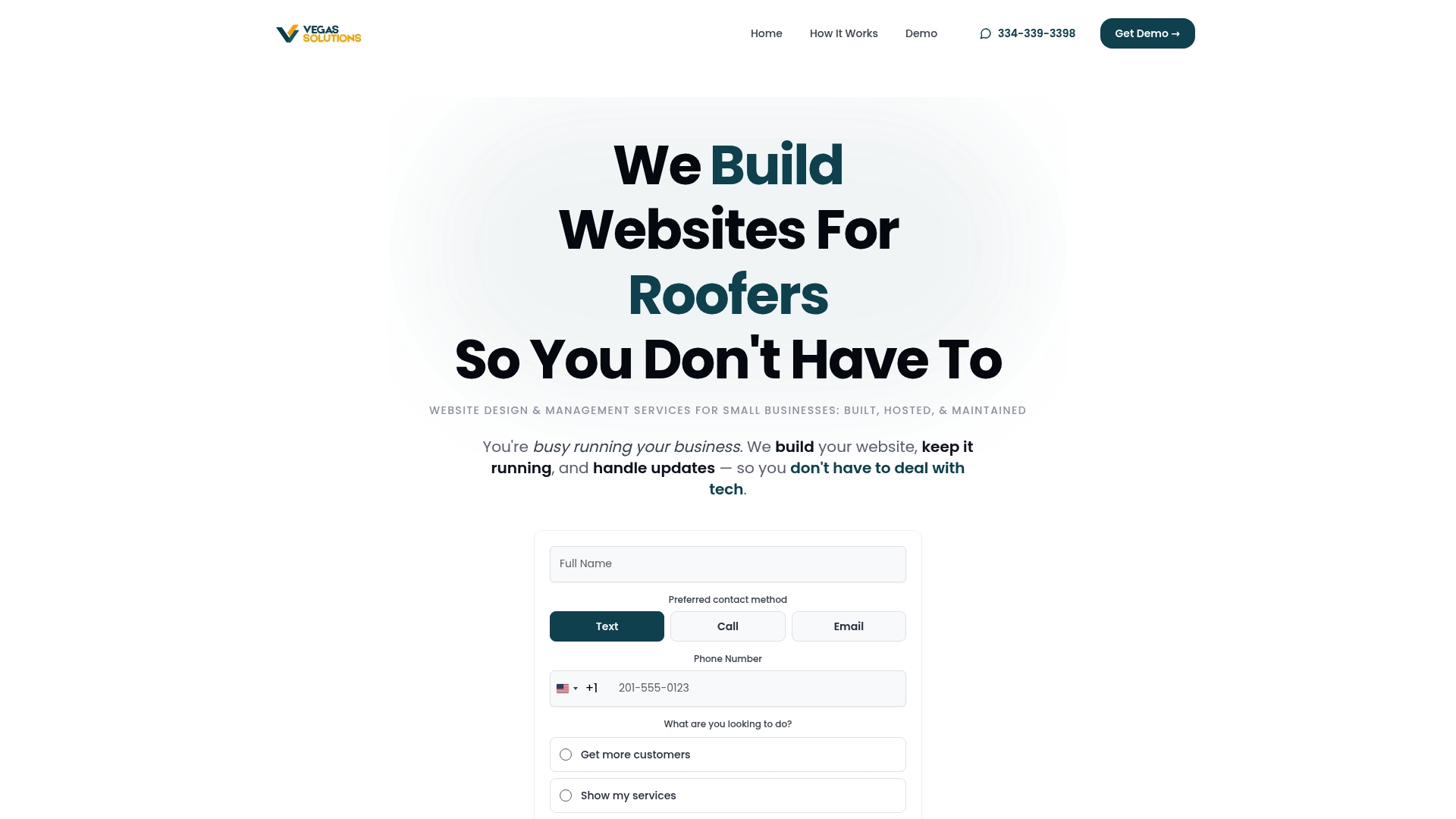
The platform question is where most small business owners get stuck or make a decision they later regret. Here is an honest look at each major path.
Website Builders (Wix, Squarespace, WordPress.com)
Pros:
- Ease of use: Drag-and-drop interfaces let non-technical users build and edit pages without writing code.
- Affordable entry point: Most plans start under $25 per month, with domain and hosting often bundled in.
- Fast to launch: A basic site can go live in a day or two using pre-built templates.
Cons:
- Limited customization: Templates constrain design flexibility.
- Scalability ceilings: As businesses grow and need more complex functionality, website builders often hit hard limits.
- Platform dependency: Your site lives on someone else's infrastructure.
Self-Hosted WordPress
Pros:
- Maximum flexibility: Thousands of themes and plugins allow nearly any functionality to be added. It powers over 40% of websites globally.
- Full ownership and control: Your site, your hosting, your data.
- Strong SEO ecosystem: Plugins like Yoast and Rank Math make on-page SEO management accessible.
Cons:
- Technical knowledge required: Setup, theme selection, plugin management, and security are all on the owner unless they hire help.
- Ongoing maintenance burden: WordPress requires regular updates. Neglecting these creates real security risk.
- Time investment: For a business owner already stretched thin, WordPress can become a second job.
Managed Website Services (like Vegas Solutions)
Pros:
- Completely hands-off: Design, build, hosting, security, updates, and ongoing management are handled for you.
- Expert execution: A professional team that builds local business websites regularly brings proven patterns and fewer costly mistakes.
- Tailored to your business: Unlike template-driven builders, managed services produce sites designed around your specific services, location, and customers.
- Single point of contact: No juggling between a hosting company, a developer, and a designer.
Cons:
- Less direct control: Changes go through a communication channel rather than being made instantly by the owner.
- Monthly commitment: Ongoing management costs more than a self-managed website builder plan.
Vegas Solutions offers managed website services starting with a $69 demo deposit. A custom homepage mockup comes first, credited toward the build and refundable until you approve it, and if approved, the full site launches with ongoing hosting, security, and management included.
Essential Pages Every Local Business Website Needs
A local business website does not need to be large, but it needs to be complete. Every missing page is a missed opportunity — either to answer a customer's question, build trust, or convert a visitor into a lead.
Homepage
The homepage has one job: make it immediately clear who you are, what you do, where you do it, and what the visitor should do next. A strong local business homepage leads with a clear headline that includes the service and location, a visible phone number or contact button, a brief summary of key services, and a primary call to action above the fold.
About Us
Local customers buy from people they trust, and the About page is where that trust starts to form. Share the story behind the business, how long you have been operating, and who is on the team. For owner-operated businesses especially, a photo and a brief personal statement go a long way.
Services / Products
Each service deserves its own section or page with a clear description of what is included, who it is for, what problems it solves, and what the customer can expect. Specificity is what gets pages to rank in local search and what converts readers into callers.
Contact Us
Make it easy to reach you in whatever way the customer prefers. A contact form, a phone number that is click-to-call on mobile, an email address, your physical address if applicable, business hours, and an embedded Google Map for businesses with a physical location.
Testimonials and Reviews
Social proof is one of the most powerful conversion tools available. Dedicate a section or page to customer testimonials, embed or link to your Google reviews, and if possible include the reviewer's name and neighborhood. Real, specific reviews from real local customers build the kind of credibility that no amount of marketing copy can replicate.
Blog or News
A blog is one of the most reliable ways to attract organic search traffic without paid advertising. Write about the questions your customers actually ask — these pages bring in people actively researching what you do and position your business as the authoritative local resource.
Local Landing Pages
If your business serves multiple cities or neighborhoods, build a dedicated landing page for each service area. A roofing company serving three counties should have a page for each one, with locally relevant content. These pages are how you show up in "near me" and city-specific searches without running ads for every location.
Designing for Local Success: User Experience and Mobile-Friendliness
Mobile-friendly website design for local customers is not an optional feature — it is the baseline. More than half of all web traffic comes from mobile devices, and Google's ranking algorithm uses mobile performance as its primary signal.
Responsive Design
Responsive design means the site automatically adapts its layout, font sizes, image dimensions, and navigation to fit whatever screen it is viewed on. If your site requires pinching and zooming to read on a phone, it is not responsive and it is costing you visitors and rankings.
Clear Navigation
Keep the main navigation simple: five to seven items maximum, with labels that describe what is on the page in plain language. Avoid clever menu names that require interpretation. Clarity always beats creativity in navigation.
High-Quality Visuals
Real project photos for contractors, real food photos for restaurants, real before-and-after images for cleaning or landscaping companies — these outperform generic stock imagery in both credibility and conversion every time.
Calls to Action
Every page should guide the visitor toward a specific next step. Make the CTA visible, repeat it multiple times on key pages, and make sure it is easy to tap on mobile.
Local Elements
Your address, phone number, and business hours should appear on every page — typically in the header or footer. Search engines use consistent NAP (name, address, phone number) data across your site to verify your local relevance.
Local SEO Fundamentals: Getting Found by Nearby Customers

Google Business Profile
Your Google Business Profile (GBP) is separate from your website but directly connected to your local search visibility. Claim and verify your profile, fill out every field completely and accurately, add real photos, post updates regularly, and respond to every review. The businesses that dominate the Google Maps three-pack almost always have more complete, more active profiles.
Local Keyword Research
Rather than targeting "roof repair," a roofing company in Dayton should target "roof repair Dayton OH" and "roofing contractor Kettering." Use Google's autocomplete suggestions and the "People also ask" section to find the actual phrases your local customers type.
On-Page SEO
Each page on your site should be optimized for one or two primary search terms. Include the target keyword in the page title, the H1 heading, the first paragraph of content, at least one subheading, the meta description, and the image alt text where relevant.
Local Citations
A citation is any online mention of your business name, address, and phone number. Consistency across directories — Google, Yelp, Bing Places, Apple Maps, industry directories — is a significant local ranking signal. Inconsistent NAP data confuses search engines and weakens your local authority.
Schema Markup
Schema markup is structured data added to your site's code that tells search engines exactly what your business is, where it is located, what hours it operates, and what it offers. LocalBusiness schema helps Google surface your information in rich results and Maps listings.
Link Building
Backlinks from other local websites — the chamber of commerce, local news coverage, industry associations, partner businesses, sponsorship pages — signal to Google that your business is a legitimate, established part of the local community. Even a handful of relevant local links can meaningfully improve your rankings.
Launching and Beyond: Maintenance and Growth
A website launch is not a finish line — it is a starting point. The businesses that see sustained growth from their websites treat them as living assets that need ongoing attention.
Pre-Launch Checklist
Before going live, verify that all pages load correctly on mobile and desktop, all contact forms submit and deliver to the right inbox, all links work, images are compressed and loading fast, Google Analytics and Google Search Console are connected, and the SSL certificate is active.
Website Security
SSL is non-negotiable — Google penalizes sites without it and browsers flag them as insecure. Beyond SSL, security means regular automated backups, malware scanning, login protection, and keeping all software current.
Performance Monitoring
Google Analytics shows you who is visiting your site, how they found it, what pages they view, and where they leave. Google Search Console shows you what search queries are driving impressions and clicks. Review these monthly at minimum.
Regular Updates
Content that was accurate at launch goes stale. Services change, pricing shifts, staff turns over. A site that consistently reflects the current state of the business performs better in search and converts better with visitors. Schedule a content review every quarter at minimum.
Case Study: An electrical contractor in a mid-sized Southern market had been operating without a website for six years, relying entirely on word of mouth and a Facebook page. After launching a five-page managed website with proper local SEO setup, Google Business Profile optimization, and a service area page for each of the three counties they served, the business appeared in Google Maps results for the first time within 60 days. Within four months, the owner reported that roughly 30 percent of new incoming calls were coming from the website.
Platform Comparison: Which Is Right for Your Local Business?
| Platform / Approach | Best For | Pros | Cons | Typical Cost |
|---|---|---|---|---|
| Managed Service (e.g., Vegas Solutions) | Busy owners who want hands-off results | Expert build, all-in-one management, local SEO included | Less direct owner control; monthly commitment | $69 demo deposit; $699 setup + $69/month |
| Self-Hosted WordPress | Businesses with technical resources or a developer | Maximum flexibility, full ownership, strong SEO tools | Requires ongoing maintenance; steep learning curve | $10–$30/month hosting + developer fees |
| Wix | Solopreneurs wanting DIY simplicity | Easy to use, fast setup, affordable plans | Limited customization; scalability ceilings | $17–$35/month |
| Squarespace | Design-focused small businesses and creatives | Polished templates, built-in commerce, clean UX | Higher cost for advanced features; platform lock-in | $16–$49/month |
| Custom Development | Larger businesses with unique technical requirements | Fully bespoke, no platform constraints | High cost, longer timeline, requires ongoing developer relationship | $5,000–$25,000+ build cost |
Conclusion: Your Digital Hub for Local Growth
Building a local business website that actually attracts customers is not about having the fanciest design or the most pages. It is about following a proven set of steps: planning with your real customers in mind, choosing a platform that matches your capacity, building the pages people are looking for, designing for the phones they are using, optimizing for the searches they are running, and maintaining the site as the business changes over time.
If you are ready to stop leaving local customers to competitors who just happen to show up on Google, Vegas Solutions builds and manages professional websites specifically for local service businesses. The process starts with a $69 custom demo, credited toward the build and refundable until you approve it — a near-finished version of your site built before you commit to anything.
The local search landscape is continuing to evolve. The businesses with strong, well-maintained websites and consistent local SEO foundations are the ones positioned to grow as those changes happen.
Request your custom demo today and see what your local business website could look like in 72 hours. Explore Vegas Solutions.