
What Is CMS for Small Business Success?

Managing a business website often feels like tackling a task reserved for technical experts, but that should not be the case for American small business owners. Busy entrepreneurs deserve a solution that makes online content simple to create and update no matter their technical background. This article highlights how a content management system can transform website management into an easy, user-friendly experience, helping you focus on growing your business instead of struggling with complex web tools.
What Is a CMS for Small Business?
A content management system (CMS) is a digital tool that empowers small business owners to manage their website without requiring advanced technical skills. Content management software enables entrepreneurs to create, edit, publish, and organize online content through an intuitive interface designed for non-technical users.
At its core, a CMS provides small businesses with powerful website management capabilities that traditionally required expensive web development expertise. These systems include two primary components:
-
Content Management Application (CMA): The user-friendly interface where business owners can:
- Add new web pages
- Edit existing content
- Upload images and media
- Manage website structure
-
Content Delivery Application (CDA): The backend system that transforms edited content into visible web pages for visitors
Small business owners benefit from CMS platforms because they dramatically reduce technological barriers. Instead of learning complex coding languages, entrepreneurs can update their websites quickly and independently. Collaborative web content management allows multiple team members to contribute and modify website content without requiring specialized technical knowledge.
Modern CMS platforms offer additional advantages for small businesses, including:
- Easy website setup
- Built-in design templates
- Search engine optimization (SEO) tools
- Mobile responsiveness
- E-commerce integration capabilities
A good CMS turns website management from a technical challenge into a simple, user-friendly experience.
Different Types of CMS Platforms Explained
Content management systems (CMS) are not one-size-fits-all solutions. CMS platforms vary widely in their architecture, functionality, and intended use, offering small businesses multiple options to match their specific needs.
The primary categories of CMS platforms include:
-
Open-Source CMS:
- Maximum customization potential
- Examples: WordPress, Joomla, Drupal
- Requires more technical maintenance
- Often free to use
-
SaaS (Software as a Service) CMS:
- Hosted solutions with integrated features
- Examples: Wix, Squarespace
- Lower technical complexity
- Simplified setup and management
-
Headless CMS:
- Separates backend content management from frontend presentation
- Enables multi-channel content publishing
- Provides greater flexibility for developers
- Supports advanced digital experiences
Small businesses must consider their technical capabilities, budget, and specific requirements when selecting a CMS. Content management system architectures range from traditional web platforms to specialized systems designed for specific industries.

Here's how popular CMS types stack up for small businesses:
| CMS Type | Customization Level | Technical Skill Needed | Best For |
|---|---|---|---|
| Open-Source | Very high | Intermediate to expert | Maximum flexibility, growth |
| SaaS | Moderate | Beginner-friendly | Fast setup, ease of use |
| Headless | Highest | Advanced development | Omnichannel content delivery |
When evaluating CMS options, consider these critical factors:
- Ease of use
- Scalability
- Integration capabilities
- Cost
- Support and community resources
The right CMS acts as a strategic tool, not just a technical solution for your business's online presence.
Essential Features That Make Life Easier
Content management systems play a critical role in simplifying website management for small businesses. CMS features are designed to streamline digital workflows and reduce technical complexity, allowing entrepreneurs to focus on growing their business instead of wrestling with website technology.
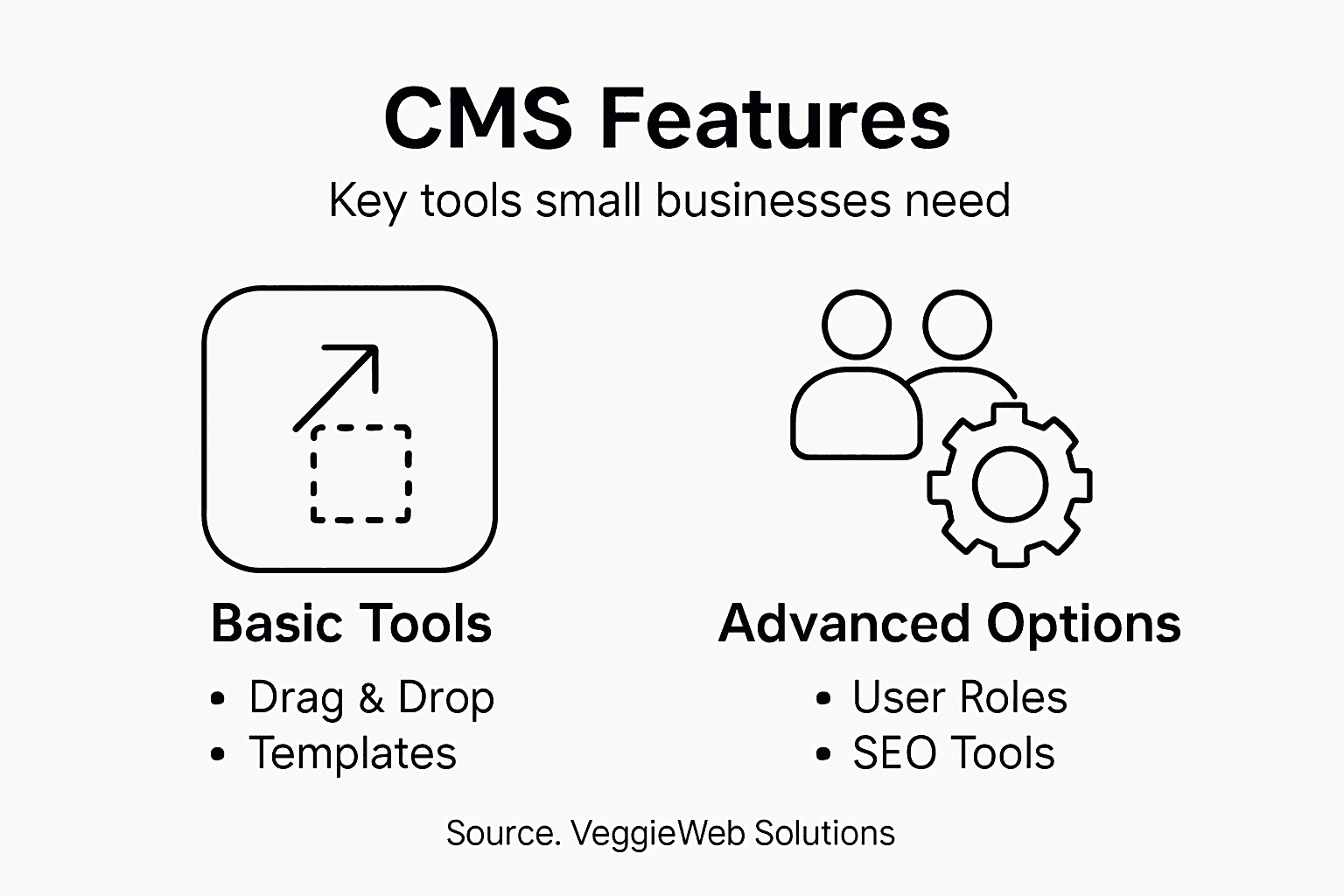
The most impactful CMS features for small business owners include:
-
Content Creation Tools:
- WYSIWYG (What You See Is What You Get) editors
- Drag-and-drop page builders
- Rich media integration
- Instant preview capabilities
-
Productivity Enhancers:
- Content scheduling
- Collaboration workspaces
- Version control
- Multi-user permissions
-
Technical Support Features:
- Mobile-responsive templates
- SEO optimization tools
- Security monitoring
- Automatic software updates
Website management capabilities have evolved dramatically, transforming complex technical processes into user-friendly experiences. Small business owners can now manage their digital presence without deep technical knowledge, thanks to intuitive dashboard designs and integrated tools.
When evaluating CMS platforms, prioritize these essential features:
- Ease of content editing
- Mobile responsiveness
- Search engine optimization tools
- Security protocols
- Integration capabilities
A powerful CMS acts like a digital assistant, handling technical complexities while you concentrate on business growth.
Costs, Risks, and Common Pitfalls
Content management systems represent a significant investment for small businesses, and understanding potential financial and operational risks is crucial. Hidden CMS costs can quickly transform an affordable solution into an expensive problem if businesses aren't strategic about their platform selection.
The most significant financial risks associated with CMS platforms include:
-
Upfront Investment Challenges:
- High initial licensing fees
- Complex implementation costs
- Potential customization expenses
- Training and transition expenses
-
Ongoing Operational Risks:
- Maintenance and upgrade costs
- Potential security vulnerability patches
- Performance optimization expenses
- Integration and compatibility challenges
-
Compliance and Security Risks:
- Data protection requirements
- Potential regulatory non-compliance penalties
- Cybersecurity vulnerability management
- Unexpected legal and technical mitigation costs
Total cost of ownership extends far beyond the initial purchase price. Small businesses must consider long-term expenses including staff training, system maintenance, potential upgrades, and the opportunity costs of choosing an inflexible platform.
Here is a quick reference for CMS cost considerations:
| Cost Category | Description | Impact on Business |
|---|---|---|
| Upfront Investment | License, setup, training costs | Affects initial budgeting |
| Ongoing Expenses | Maintenance, updates, security | Influences long-term ROI |
| Compliance Risk | Legal, regulatory penalty management | Important for data safety |
| Upgrade Scalability | Costs for future growth and expansion | Limits or enables scaling |
When evaluating CMS platforms, small businesses should carefully assess:
- Scalability potential
- Integration capabilities
- Security features
- True total cost of ownership
- Potential future expansion requirements
Choosing the right CMS is not just a technology decision, but a strategic business investment.
Choosing the Right CMS for Your Needs
Selecting the ideal content management system requires careful consideration of multiple factors that directly impact your small business's digital strategy. CMS selection involves nuanced evaluation beyond simple feature comparisons, focusing on platforms that align with your specific business goals and technical capabilities.
Key criteria for choosing the right CMS include:
-
Usability Factors:
- Intuitive interface design
- Minimal technical learning curve
- User-friendly content editing tools
- Clear navigation and dashboard
-
Technical Requirements:
- SEO optimization capabilities
- Mobile responsiveness
- Scalability potential
- Security features
- Integration flexibility
-
Business Alignment Considerations:
- Cost-effectiveness
- Customization options
- Alignment with brand identity
- Support and community resources
CMS platform selection requires understanding your business's unique digital needs and future growth trajectory. Small businesses must evaluate platforms not just on current requirements but on their ability to support long-term expansion and evolving digital strategies.
When narrowing down CMS options, prioritize:
- Ease of use
- Budget constraints
- Scalability potential
- Support quality
- Integration capabilities
The right CMS transforms from a mere tool to a strategic business asset.
Simplify Your Small Business Website Management Today
Managing a website with the right CMS can feel overwhelming with all the technical requirements, security risks, and ongoing maintenance challenges discussed in the article. If you want to focus on growing your business instead of struggling with complex content management systems and costly hidden fees a trusted partner can make a huge difference. Vegas Solutions understands these pain points and offers a hassle-free solution tailored for small businesses and self-employed professionals who want website building hosting and maintenance handled without tech headaches.
Discover how you can have your website fully managed with clear communication fast turnaround and ongoing support at Vegas Solutions. You can start with a $69 demo and only continue if it feels like the perfect fit. Stop worrying about CMS complexities and let us simplify your digital presence while you focus on business success. Start your journey now by visiting Vegas Solutions and experience website management made easy.


