

Nearly ninety percent of American business owners believe that building a website requires advanced skills and expensive services. For self-employed professionals, these assumptions often hold them back from creating a strong digital footprint. The good news is that modern website builders have made it simple and affordable to launch a polished site, even without technical experience. This guide reveals how these tools challenge old myths, offering a hassle-free path for American entrepreneurs to enhance their online presence.
Table of Contents
- Website Builder Basics And Common Myths
- Types Of Website Builders Compared
- Essential Features That Simplify Sites
- How A Website Builder Actually Works
- Costs, Risks, And What To Avoid
- Alternatives To Website Builders Explained
Key Takeaways
| Point | Details |
|---|---|
| Modern Website Builders Simplify Creation | Today's platforms allow users to build professional websites without coding skills, utilizing intuitive drag-and-drop features and templates. |
| Beware of Hidden Costs | When choosing a website builder, look out for additional fees like migration costs or premium feature charges that may impact long-term budgeting. |
| Website Builders Offer Flexibility | Modern builders are available in various types that cater to different user needs, from basic setups to advanced customization capabilities. |
| Consider Alternative Solutions | For a more tailored online presence, alternatives like custom coding or hiring freelance developers offer unique benefits, especially for specific business needs. |
Website Builder Basics and Common Myths
Creating a professional website isn't as complicated as most self-employed professionals believe. Many entrepreneurs assume building a site requires advanced technical skills or expensive design services. In reality, modern website builders have simplified the process, making it accessible for service-based business owners who want a polished online presence without coding knowledge.
Most myths about website creation stem from outdated perceptions. Professionals often imagine websites as complex digital platforms requiring months of development. However, contemporary tools allow individuals to develop personal academic websites in hours, not weeks. The key is understanding that website builders now offer intuitive drag-and-drop interfaces, pre-designed templates, and user-friendly customization options.
Common misconceptions about website builders include beliefs that they produce low-quality sites, lack customization, or work only for specific industries. These myths couldn't be further from the truth. Modern platforms provide robust design flexibility, professional-grade templates, and responsive layouts that adapt seamlessly across devices. Whether you're a consultant, freelancer, or small business owner, you can create a website that reflects your brand's unique personality and professional standards.
Pro tip: Before selecting a website builder, always test the platform's mobile responsiveness and preview how your site will appear on smartphones and tablets.
Types of Website Builders Compared
Website builders are not a one-size-fits-all solution. Professionals seeking an online presence need to understand the nuanced landscape of available platforms. Website builder types vary significantly in layout flexibility and design control, ranging from rigid templates to completely customizable environments that empower users with advanced design capabilities.
Traditionally, website builders are categorized into three primary types. The first category includes platforms with fixed layouts and limited style options, perfect for users who want quick, straightforward website deployment. The second type offers more customization, allowing users to adjust layouts and incorporate basic styling elements. Advanced users will appreciate the third category, which provides comprehensive layout and style control, enabling intricate design modifications that match precise brand specifications.
Here's a concise overview of the three main types of website builders and their ideal users:
| Builder Type | Key Characteristics | Best For |
|---|---|---|
| Fixed Layout | Simple, limited styles | Quick setup seekers |
| Customizable | Adjustable layouts, basic styles | DIY-focused entrepreneurs |
| Advanced Control | Full design freedom, complex options | Tech-savvy professionals |
When comparing website builders, key considerations extend beyond basic design flexibility. Factors like e-commerce capabilities, SEO tools, pricing structures, and hosting services play crucial roles in selecting the right platform. Some builders excel in specific niches - for instance, certain platforms are optimized for online stores, while others cater more to portfolio or service-based professionals. Understanding these distinctions helps self-employed individuals and small business owners make informed decisions about their digital presence.
Pro tip: Before committing to a website builder, always take advantage of free trials to test the platform's interface, design flexibility, and compatibility with your specific business needs.
Essential Features That Simplify Sites
Creating an effective website requires understanding the core features that transform a basic online presence into a powerful digital tool for self-employed professionals. Website design must prioritize accessibility and user experience, ensuring that potential clients can easily navigate and interact with your digital platform. The most successful sites integrate intuitive design principles that make information discovery seamless and engaging.

Key features that simplify website creation include robust search functionality, mobile-responsive design, and clean navigation structures. Professionals need websites that automatically adjust to different screen sizes, ensuring a consistent experience whether visitors are using smartphones, tablets, or desktop computers. Drag-and-drop interfaces have revolutionized site building, allowing entrepreneurs to create professional-looking pages without extensive technical knowledge. Advanced builders now offer pre-designed templates that can be customized to reflect a brand's unique personality and professional standards.
Beyond basic design, essential features include integrated SEO tools, contact form builders, and analytics dashboards that provide real-time insights into website performance. Self-employed professionals benefit from platforms that offer built-in marketing tools, such as email capture forms, social media integration, and simple e-commerce capabilities. These features eliminate the need for complex third-party integrations, streamlining the process of establishing and maintaining an online presence.
Pro tip: Always test your website on multiple devices and browsers to ensure a consistent, professional appearance across different platforms.
How a Website Builder Actually Works
Website builders transform complex web development into a straightforward, user-friendly process for professionals who want an online presence without technical complexity. These platforms simplify site creation by offering intuitive drag-and-drop interfaces that eliminate the need for advanced coding skills. At their core, website builders operate as sophisticated design platforms that break down website development into manageable, visual components.
The fundamental mechanics of a website builder involve several key stages. First, users select from pre-designed templates that provide a professional foundation for their site. These templates are responsive, meaning they automatically adjust to different screen sizes and devices. Users can then customize their chosen template through an intuitive interface, adding their own text, images, and branding elements by simply dragging and dropping content blocks. Behind the scenes, the platform automatically generates the necessary HTML, CSS, and responsive code, ensuring a technically sound website without requiring users to understand programming languages.
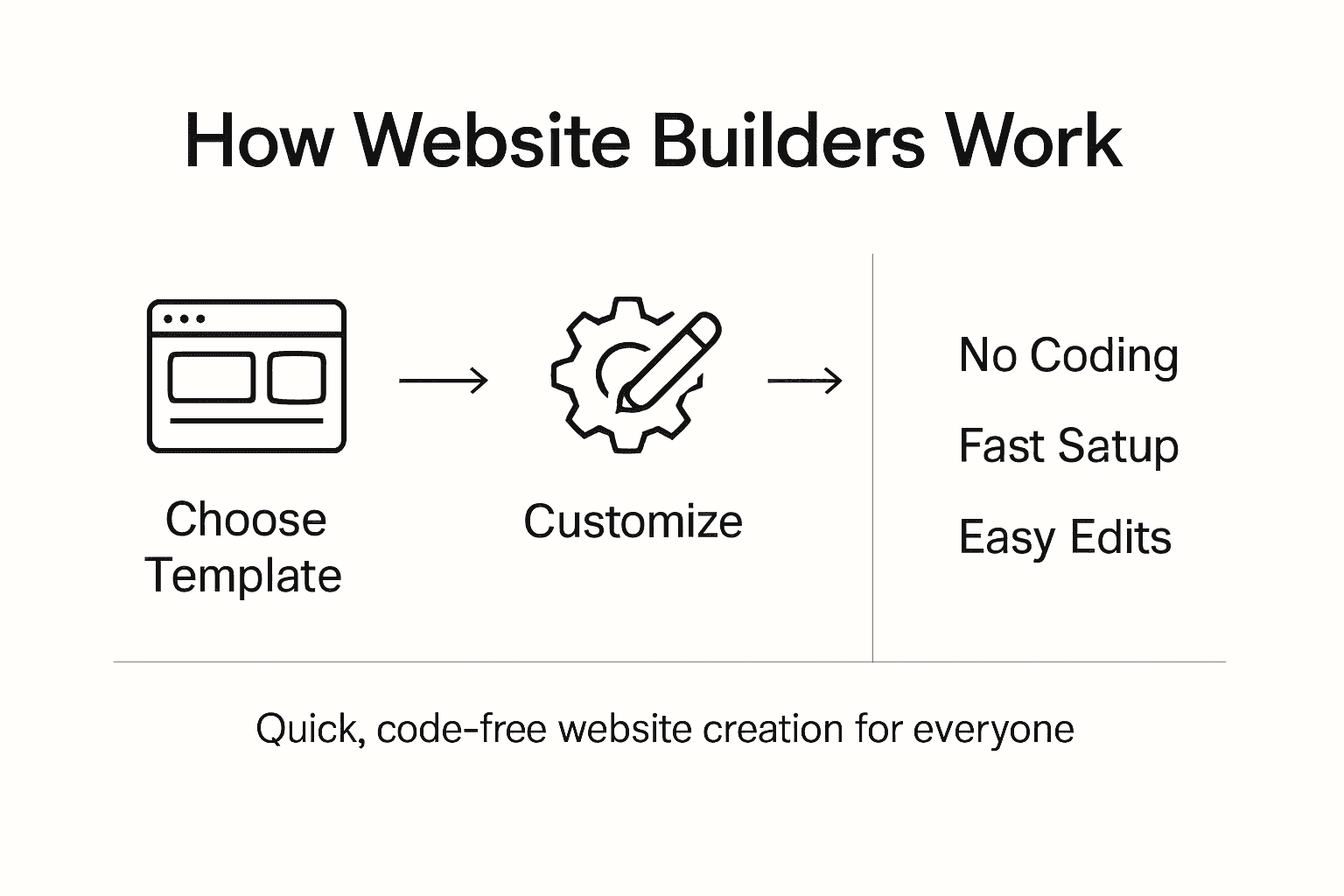
Advanced website builders go beyond basic design, offering integrated features that streamline online business operations. These include built-in SEO optimization tools, analytics dashboards, contact form generators, and e-commerce capabilities. The platform handles technical complexities like hosting, domain management, security updates, and mobile responsiveness, allowing self-employed professionals to focus on their core business instead of wrestling with web development details. This approach democratizes website creation, making sophisticated online presence accessible to entrepreneurs who lack traditional technical skills.
Pro tip: Choose a website builder that offers a comprehensive free trial, allowing you to fully explore its features and compatibility with your specific business needs before making a commitment.
Costs, Risks, and What to Avoid
Choosing a website builder requires careful consideration of potential financial and strategic pitfalls that could impact your business's online presence. Professional website solutions demand thorough evaluation beyond just comparing monthly pricing. Self-employed professionals must look deeper than surface-level costs, understanding the long-term implications of their digital platform choice.
Financial risks in website builder selection often stem from hidden fees and restrictive pricing structures. Some platforms lure entrepreneurs with low introductory rates but charge premium prices for essential features like e-commerce integration, advanced analytics, or custom domain connections. Additional potential cost traps include expensive migration fees if you decide to switch platforms, transaction fees for online sales, and unexpected charges for additional storage or bandwidth. Professionals should meticulously review complete pricing models, including setup costs, monthly subscriptions, and potential future expenses.
Beyond financial considerations, significant risks involve platform limitations that could hinder business growth. Common pitfalls include inflexible design templates, poor mobile responsiveness, limited SEO capabilities, and weak security protocols. Entrepreneurs must assess a website builder's ability to scale with their business, ensuring the platform can accommodate increasing traffic, support future marketing strategies, and provide robust data protection. Avoiding platforms with restrictive export options or those that retain ownership of your content is crucial for maintaining long-term digital independence.
Pro tip: Request a comprehensive feature breakdown and conduct a trial run before committing to any website builder, paying special attention to potential scalability and hidden cost structures.
Alternatives to Website Builders Explained
For self-employed professionals seeking online presence, several alternatives exist beyond traditional website builders. Custom web design solutions in small business markets offer more personalized approaches to digital representation. While website builders provide quick solutions, alternative methods can deliver more tailored and sophisticated online platforms.
The primary alternatives include custom coding, hiring freelance web developers, using content management systems (CMS), and leveraging professional web design services. Custom coding allows complete design control but requires significant technical expertise and time investment. Freelance developers offer flexibility and personalized design, though costs can escalate quickly and project timelines may be unpredictable. Content management systems like WordPress provide more flexibility than website builders, enabling advanced customization through plugins and themes while maintaining a user-friendly backend.
Professional web design services represent a comprehensive alternative for entrepreneurs who want a hands-off approach. These services typically include strategy consultation, custom design, development, and ongoing maintenance. Unlike website builders, professional designers create unique digital experiences tailored precisely to a business's brand identity and specific functional requirements. They can integrate complex features, ensure optimal performance across devices, and provide strategic insights that template-based solutions cannot match.
Compare the primary alternatives to website builders based on technical demands and customization capacity:
| Alternative | Technical Skill Needed | Customization Flexibility | Typical Cost Range |
|---|---|---|---|
| Custom Coding | High (coding required) | Unlimited | $$$$ (most expensive) |
| Freelance Developer | Moderate to high | Highly tailored | $$$ (variable) |
| CMS (WordPress, etc.) | Medium (setup/plugins) | Advanced with plugins | $$ (moderate) |
| Design Agency | Low (hands-off) | Fully personalized | $$$$ (premium) |
Pro tip: Evaluate your technical skills, budget, and long-term business goals before selecting an alternative to website builders, understanding that each approach offers distinct advantages and limitations.
Simplify Your Website Journey With Expert Support
Building a professional website can feel overwhelming when faced with confusing platforms, hidden costs, and technical hurdles. This article highlights common challenges such as inflexible design templates, limited SEO tools, and the risk of costly surprises that stand in the way of creating a polished online presence. If you want to avoid the frustration of DIY builders and the complexity of coding, Vegas Solutions offers a hassle-free solution tailored for self-employed professionals and small businesses alike.
Vegas Solutions takes the stress out of website creation by handling the entire process for you. From custom design and hosting to ongoing maintenance and support, we provide a single point of contact who speaks simple language and ensures fast turnaround. You can experience our service with a $69 demo and continue only if it feels like the perfect fit.
Build your professional website effortlessly and enjoy benefits such as:
- Freedom from technical headaches
- Mobile responsive, SEO-optimized design
- Transparent pricing without hidden fees
Discover how Vegas Solutions makes website creation easy and take the next step toward a strong, scalable online presence today.
Request your $69 demo now and see how simple your website can be.


