

A staggering 96.55% of pages on the web receive zero organic traffic. For small business owners and self-employed professionals, that number should feel personal. Your website may be live, but if it's cluttered with outdated content, broken links, and slow-loading images, it's quietly losing ground every day. Website cleanup is the process of auditing, fixing, and optimizing your site to improve how it performs for both search engines and real visitors.
Why Website Cleanup Matters: SEO, Visibility, and Trust
Search engines don't just reward new content. They reward quality, relevance, and technical health. When your site accumulates low-value pages, outdated posts, and broken links, it sends mixed signals to Google. The result is lower rankings, reduced visibility, and lost business.
One of the most impactful cleanup actions is content pruning — removing or improving pages that aren't earning traffic or conversions. Pruning 20–30% of low-quality pages has been shown to lift the rankings of the pages that remain. This works because search engines allocate a limited crawl budget to each site. When that budget is wasted on weak pages, your best content gets less attention.
Speed and mobile performance are equally important. Core Web Vitals optimization tripled average search positions from 42 to 14.5 in one documented case. That kind of jump doesn't come from publishing more content. It comes from fixing what's already there.
Here's what cleanup directly improves:
- Broken links: Dead links frustrate users and signal neglect to search engines
- Page speed: Faster sites rank better and convert more visitors into leads
- Mobile performance: 74% of small business sites fail mobile Core Web Vitals benchmarks
- Crawl efficiency: Clean sites allow search engines to index your best pages more effectively
- Trust signals: A well-maintained site builds credibility with first-time visitors
Beyond rankings, there's the trust factor. Visitors form an opinion about your business within seconds of landing on your site. Slow load times, outdated information, and broken elements all chip away at that first impression.
What Real Website Cleanup Involves
Many business owners assume cleanup means deleting old blog posts. In reality, it's a much more nuanced process. Content pruning breaks down like this: roughly 40–45% of the time, the right move is to update existing content, while 15–20% involves consolidating similar pages into one stronger page. Outright deletion is actually the least common action.

| Cleanup Area | Common Action | Impact |
|---|---|---|
| Outdated content | Update or consolidate | Improves relevance and rankings |
| Broken links | Fix or redirect | Restores user experience and crawl flow |
| Images | Compress and add alt text | Speeds up load time and aids accessibility |
| Duplicate URLs | Canonicalize or redirect | Prevents ranking dilution |
| Mobile layout | Test and fix responsive issues | Improves Core Web Vitals scores |
| Forms and CTAs | Test functionality | Prevents lost leads |
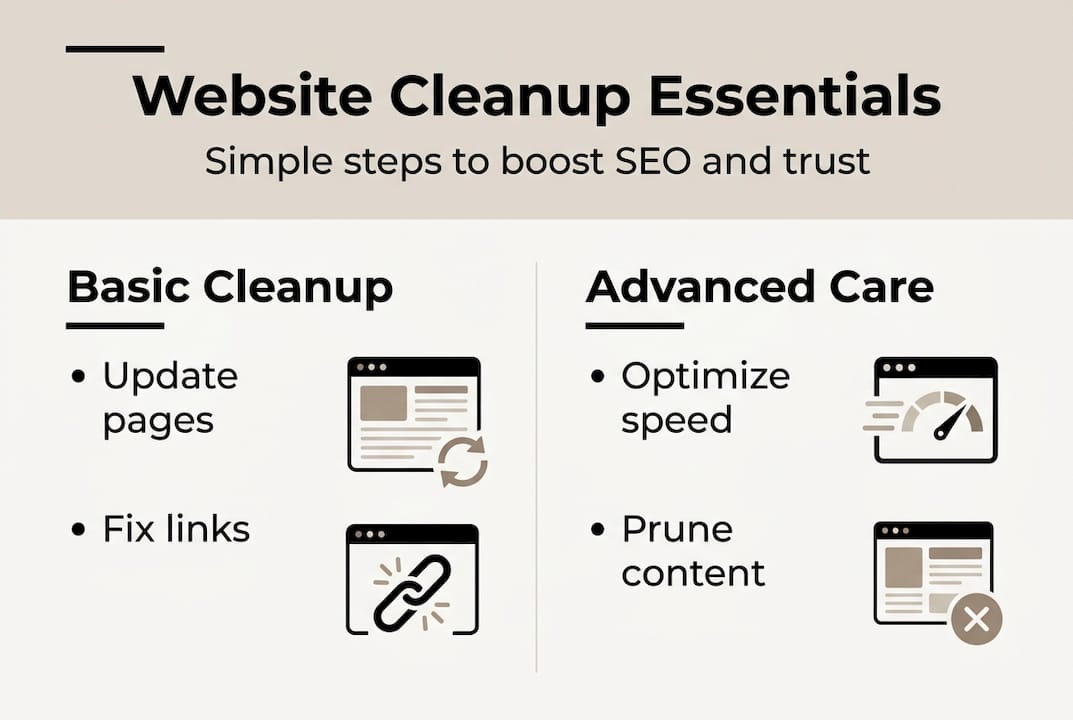
Image optimization is often underestimated. Unoptimized images are one of the biggest hidden speed killers on any business site. Technical cleanup also means addressing parameter-heavy URLs, which create duplicate versions of the same page and confuse search engines.
Mobile-first indexing means Google primarily evaluates your mobile site. If your mobile Core Web Vitals are weak, your entire site's ranking potential is capped.
Pro Tip: Always back up your site before making major changes. Test all forms and review your layout on multiple devices after any significant update. It takes 10 minutes and can save hours of troubleshooting.
Cleanup vs. Redesign: When Refresh Is Smarter (and Cheaper)
One of the most common questions small business owners ask is whether they need a full redesign or just a cleanup. The answer depends on the gap between where your site is and where it needs to be.
As a general benchmark: if your site's Largest Contentful Paint (LCP — the time it takes for the main content to load) is above 4 seconds on mobile, a redesign may be worth considering. If it's between 2.5 and 4 seconds, targeted cleanup will usually close the gap.
The cost difference is significant. Reactive maintenance (fixing things only when they break) costs between $2,450 and $7,750 per quarter. Proactive maintenance runs closer to $300 per month.
Choose cleanup when:
- Your site structure and navigation are working well
- Core content is solid but needs updating
- Performance issues are image or code-related, not architectural
- Your brand identity is current and consistent
- You've had the site for under 4–5 years
Consider a redesign when:
- The site is fundamentally broken on mobile and can't be fixed with patches
- The design no longer reflects your brand or the clients you serve
- Your platform is outdated and can't support modern performance standards
- Cleanup attempts keep revealing deeper structural problems
- The site is over 5–6 years old with no significant updates
Actionable Steps for a High-Performing, Clean Website
Here is a practical monthly routine that keeps your site competitive without requiring hours of technical work:
Monthly (30 minutes):
- Run your homepage and top service pages through Google PageSpeed Insights. Note any scores below 70.
- Click through your main navigation and test every internal link. Fix or redirect any that return 404 errors.
- Submit a test inquiry through your contact form to confirm submissions are arriving.
- Open your site on your phone and check that buttons, text, and images display correctly.
- Check your Google Business Profile for accuracy — hours, phone number, and recent reviews.
Quarterly (2–3 hours):
- Review all service pages for outdated pricing, discontinued services, or stale testimonials.
- Use Google Search Console to identify pages losing traffic and determine whether to update or remove them.
- Check for and update any plugins, themes, or platform software.
- Review your top 5 blog posts. Update statistics, refresh internal links, and improve any thin sections.
- Audit images across the site for compression and missing alt text.
| Task | Frequency | Tool |
|---|---|---|
| Speed check | Monthly | Google PageSpeed Insights |
| Broken link scan | Monthly | Broken Link Checker |
| Form test | Monthly | Manual submission |
| Content audit | Quarterly | Google Search Console |
| Plugin updates | Quarterly | Your CMS dashboard |
| Image optimization | Quarterly | TinyPNG, ShortPixel |
The Uncomfortable Truth Most Owners Ignore
Most small business websites aren't failing because of bad design or poor content. They're failing because of neglect. A site that was solid at launch gradually loses ground to competitors who maintain theirs consistently.
The businesses that rank well locally and convert consistently share one trait: they treat their website as an ongoing tool, not a one-time project. They clean it regularly, update it when their business changes, and fix problems before they compound.
The uncomfortable truth is that the gap between a site that generates leads and one that sits dormant is usually not a matter of budget or technical expertise. It's a matter of attention. Small, consistent improvements compounding over 12 months outperform a single large effort almost every time.
Expert Solutions for Lasting Website Health
For most small business owners, the barrier isn't knowing what to do — it's finding the time and staying consistent. That's exactly what a managed website service is designed to solve.
At Vegas Solutions, every site we manage receives monthly maintenance, performance monitoring, and content checks as part of the retainer. Problems get caught early. Updates happen before they become emergencies. And your site keeps working as your business evolves.
If your current site hasn't been cleaned up in months — or ever — let's talk about what a one-time audit or ongoing maintenance could do for it.


