

A slow website can turn away visitors before they even see what you offer, leaving sales on the table and harming your reputation. For American small business owners, understanding website performance means getting to the heart of what builds trust and keeps customers engaged. This article cuts through common myths and highlights simple improvements that make your site faster, focusing on what actually impacts your business without requiring technical expertise.
Table of Contents
- Website Performance Basics And Misconceptions
- Key Metrics: What To Measure And Why
- Factors That Affect Website Performance
- How Performance Impacts Seo And Sales
- Common Mistakes And Practical Improvements
Key Takeaways
| Point | Details |
|---|---|
| Focus on Core Metrics | Measure Load Time, First Contentful Paint, and Largest Contentful Paint to assess website performance effectively. |
| Perceived Speed Matters | Ensure that your website appears to load quickly to visitors to enhance their experience. |
| Mobile Performance is Crucial | Optimize your website for mobile since most customers browse on their phones. |
| Simple Improvements Yield Results | Start with basic enhancements like image optimization and choosing reliable hosting to significantly boost performance. |
Website Performance Basics and Misconceptions
Website performance isn't just a technical detail—it's the foundation of how your customers experience your business online. When your site loads slowly or feels sluggish, visitors leave. Understanding what truly matters helps you make smarter decisions about your website.
At its core, website performance measures how quickly and smoothly your site loads and responds to visitor actions. This includes everything from the initial page load to how fast buttons respond when clicked.
What Actually Matters
Most small business owners focus on the wrong performance metrics. Here's what genuinely impacts your visitors and your bottom line:
- Load time: How long it takes for your page to appear on screen
- Responsiveness: How quickly the site reacts to clicks and interactions
- Perceived speed: How fast your site feels to visitors, not just objective measurements
- Early usability: When visitors can actually start using your site, not just when it's technically "done" loading
Key metrics like load time and response time form the foundation of good website performance, directly affecting user trust and how long visitors stay on your site.
Perceived performance deserves special attention. Your site might load in two seconds, but if visitors see a blank screen for 1.5 of those seconds, it feels slow. Smart loading sequences show content immediately, making your site feel faster than it actually is.
Common Misconceptions That Hold You Back
Many small business owners believe myths about website performance that lead to poor decisions. These false beliefs often cost time and money.
First misconception: "My site only needs to be fast on desktop." Wrong. Most of your customers browse on phones, and mobile performance is what counts.
Second misconception: "Faster websites don't really affect my sales." Actually, slow sites drive visitors away immediately. A one-second delay can reduce conversions by 7% or more.
Third misconception: "I need complex technical solutions like machine learning to improve performance." Most small businesses benefit far more from simple, foundational fixes like image optimization and proper hosting.
Fourth misconception: "If my site loads quickly for me, it loads quickly for everyone." Your internet connection and location differ from your customers'. You need to test from different locations and devices.
Why This Matters for Your Business
Website performance directly affects three things small business owners care about: trust, search rankings, and sales.

Visitors trust fast sites more than slow ones. When your site responds instantly, customers feel confident. When they wait, they suspect problems.
Search engines like Google prioritize fast sites. Better performance means better visibility in search results, which means more potential customers finding you.
Slow sites lose sales. Every delay costs conversions. A small improvement in speed often means real money in your pocket.
Pro tip: Start by testing your actual website speed on a real phone (not your computer) using a tool like Google PageSpeed Insights. This single step reveals what your customers actually experience and shows you which fixes matter most.
Key Metrics: What to Measure and Why
Not all website metrics matter equally. Tracking the wrong numbers wastes your time and leads to poor decisions. Understanding which metrics actually impact your business helps you focus on what counts.
The Core Metrics That Matter
Research has identified 16 core performance indicators that consistently predict user experience and business outcomes. For small business owners, a smaller subset truly drives results.
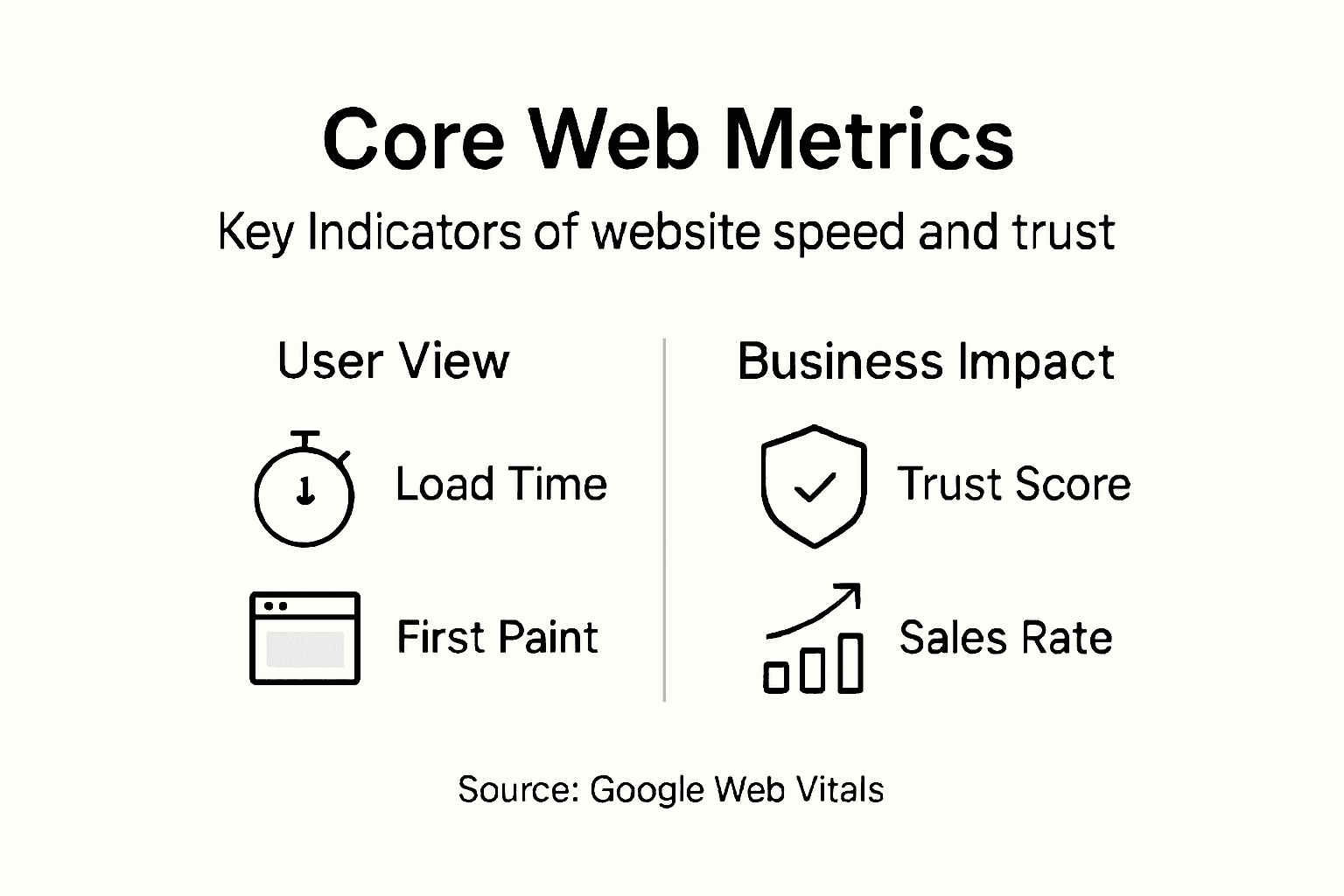
Here are the metrics worth tracking:
Here's a summary of core website performance metrics and their business significance:
| Metric | What It Measures | Ideal Target | Business Impact |
|---|---|---|---|
| Load Time | Total seconds to fully load page | Under 3 seconds | Reduces bounce, increases trust |
| First Contentful Paint (FCP) | When first content appears | Under 1.8 seconds | Keeps visitors from leaving early |
| Largest Contentful Paint (LCP) | When main content is usable | Under 2.5 seconds | Drives visitor engagement |
| Total Blocking Time (TBT) | Time browser is unresponsive | Under 300 ms | Prevents frustrating interactions |
| Cumulative Layout Shift (CLS) | Amount content jumps on load | Under 0.1 | Maintains professional appearance |
- Load Time: How many seconds until your page fully loads. Target: under 3 seconds for most sites.
- First Contentful Paint (FCP): When visitors see the first piece of content. Target: under 1.8 seconds.
- Largest Contentful Paint (LCP): When the main content finishes loading. Target: under 2.5 seconds.
- Total Blocking Time (TBT): How long the browser freezes during interactions. Target: under 300 milliseconds.
- Cumulative Layout Shift (CLS): How much content jumps around while loading. Target: under 0.1.
Focus on metrics that directly affect what visitors experience, not technical measurements that sound important but don't change behavior.
Why These Specific Metrics Matter
Each metric tells a different story about your site's performance. Load time alone misses critical details about user experience.
FCP matters because visitors decide within milliseconds whether to stay. If they see nothing, they leave before your content loads. LCP matters because it signals when your site is actually usable. Visitors care when they can read and interact, not when invisible code finishes loading.
TBT and CLS matter because they affect trust. Sites that freeze or jump around feel broken, even if they load reasonably fast. Visitors worry something is wrong and abandon your site.
The Gap Between Metrics and Reality
You might measure perfect metrics on your computer and terrible performance for customers. Why? Your setup differs from theirs. Your internet is faster, your device is newer, and your location is different.
Mobile visitors experience slower speeds than desktop users. Visitors from different geographic regions face different network delays. Older devices process code slower than your computer. Testing only on your setup creates blind spots.
What Most Small Business Owners Get Wrong
Many owners measure metrics that look good on reports but don't affect sales. Page size, server response time, and JavaScript execution count in reports but influence overall performance indirectly.
Instead, track metrics that show how real visitors experience your site. Test from different locations and devices. Compare your metrics against industry benchmarks to understand whether you're competitive.
Pro tip: Use Google PageSpeed Insights and WebPageTest to measure your site's performance across different devices and locations automatically. These tools show you the metrics that matter most and rank improvements by impact.
Factors That Affect Website Performance
Your website's speed depends on multiple interconnected factors. Some you control directly, others depend on your hosting and your visitors' connections. Understanding what influences performance helps you prioritize improvements that actually move the needle.
Server and Hosting Factors
Where your website lives matters enormously. Server response time is how fast your hosting provider delivers content to visitors. Slow servers create a bottleneck that no optimization can fix.
Choosing the right hosting affects everything downstream:
- Server location: Visitors connect faster to servers geographically closer to them.
- Server resources: Underpowered hosting chokes under traffic or slows under load.
- Uptime reliability: Poor hosting means frequent outages and inconsistent performance.
- Technical support: You need help quickly when performance problems occur.
Critical factors like server response time and resource management directly determine whether your optimization efforts produce real results.
Code and Content Size
What's actually on your pages impacts load speed significantly. Bloated code and oversized images slow everything down.
Large file sizes force browsers to download more data. Unoptimized code makes browsers work harder. JavaScript that doesn't need to load immediately forces visitors to wait.
Common culprits include massive image files, unnecessary plugins, and code that loads before it's needed. These seem invisible to you but create real delays for visitors.
Network and Latency Issues
Your visitor's connection quality affects what you can control. Poor internet connections slow page delivery. Geographic distance creates latency, the delay between request and response.
Visitors on mobile networks face slower speeds than those on home wifi. Visitors in rural areas may have fewer bandwidth options. These factors exist outside your control, but they highlight why targeting under-2-second load times isn't realistic for everyone.
The Visitor's Device
Older phones and computers process information slower than new ones. Mobile devices have less processing power than desktops. When visitors use budget phones or older computers, your site loads slower through no fault of yours.
Yet this still affects their experience. Slow devices represent a significant portion of your audience.
What You Can Actually Improve
Focus on factors within your control: hosting quality, code optimization, image size, unnecessary features, and resource loading order.
Don't chase factors you can't control like visitor bandwidth or device age. Instead, optimize for the lowest common denominator so your site performs adequately for everyone.
To help prioritize your efforts, this table compares website performance factors you can control versus those you cannot:
| Aspect | Control Level | Example Improvements |
|---|---|---|
| Hosting Quality | Directly controllable | Upgrade to faster server |
| Code Optimization | Directly controllable | Minify HTML, CSS, and JavaScript |
| Image Optimization | Directly controllable | Compress and resize images |
| User Network | Out of your control | Not adjustable by your actions |
| Visitor Device | Out of your control | Not adjustable by your actions |
Pro tip: Audit your website's images and plugins first—these typically account for 60-70% of page size. Removing unnecessary plugins and compressing images often improves load time by 1-2 seconds without touching code.
How Performance Impacts SEO and Sales
Website performance isn't just about making visitors happy. It directly affects whether Google ranks your site high and whether customers buy from you. These two outcomes drive business growth.
Performance and Search Engine Rankings
Google uses Core Web Vitals—performance metrics including load time and responsiveness—as ranking factors. Sites that load faster rank higher than slower competitors for the same keywords.
This matters because ranking position drives traffic. The first search result gets roughly 28% of clicks. The second gets 15%. By position five, you're getting less than 2%. A slow site loses ranking positions, which means fewer potential customers finding you.
Website performance directly correlates with improved search visibility and higher conversion rates. Optimizing speed gives you a competitive advantage in search results.
Performance works alongside other SEO factors. Good content and backlinks still matter, but a slow site handicaps even excellent content. You need both strong content and fast loading.
Performance and Customer Conversions
Speed directly affects whether visitors buy. Studies show that a one-second delay reduces conversions by 7% on average. Some industries see 20% conversion drops from slow performance.
Why? Visitors lose patience. They compare you to competitors. A slow site signals poor quality or untrustworthiness. Fast sites feel professional and reliable.
The impact compounds:
- Slow sites drive away visitors before they see your products
- Visitors who stay experience frustration during checkout
- Abandoned carts increase when pages freeze or load slowly
- Mobile visitors leave even faster than desktop users
Improving loading speed strengthens your ability to convert visitors into customers, making it a crucial driver for commercial success.
The Compounding Effect
Performance improvements create a cycle of growth. Faster sites rank higher, bringing more traffic. That traffic converts better, generating more sales. More sales fund further improvements.
Slow sites spiral downward. Poor rankings mean less traffic. Less traffic means fewer conversions. Fewer resources mean no improvements get made.
Real Numbers for Your Business
Think about your typical customer value. If you make $100 per customer, a 7% conversion improvement from speed optimization means gaining $7 per visitor. With 1,000 monthly visitors, that's $7,000 in additional monthly revenue from a single improvement.
Add improved search rankings, and the gains multiply. Better rankings bring more visitors. More visitors with better conversions equals significant business growth.
Pro tip: Calculate your current conversion rate and monthly visitor count, then estimate the revenue impact of a 5-10% improvement in conversions. This number—often $5,000 to $50,000 monthly—shows why performance improvements deserve investment from your budget.
Common Mistakes and Practical Improvements
Most small business owners make the same performance mistakes repeatedly. The good news? These errors are fixable without expensive overhauls or technical expertise. Understanding what goes wrong helps you prioritize fixes that deliver real results.
The Hosting Problem
Choosing cheap or unreliable hosting creates performance problems you can't fix elsewhere. Shared hosting squeezes your site onto crowded servers. When other sites spike in traffic, yours slows down. You have zero control over this.
Bad hosting decisions include:
- Picking the cheapest option without checking reliability
- Ignoring server location relative to your customers
- Staying with poor hosts because switching feels complicated
- Choosing shared hosting when traffic grows beyond its limits
Common mistakes like inadequate hosting directly cause slow loading and poor user engagement. Upgrading to better hosting often solves 50% of performance problems alone.
Bloated Files and Code
Oversized images and unnecessary features slow everything down. Most websites include plugins and code they don't actually use. These invisible burdens create real performance drags.
Images typically account for 50-60% of page size. A single unoptimized photo can add two seconds to load time. Unused plugins add code browsers must download and process.
Simple improvements deliver huge gains:
- Compress images before uploading (reduce by 60-80%)
- Remove unused plugins immediately
- Avoid "just in case" features you might use someday
- Lazy-load images so only visible ones load first
Fix what's actually harming performance instead of adding more features that slow things down further.
Poor Navigation and Organization
Confusing site structure makes visitors leave. When visitors can't find what they need quickly, they bounce. Poor navigation also signals low quality to search engines.
Simple, logical menu structures keep visitors engaged longer. Clear information hierarchy helps people understand your business quickly. Mobile-first design ensures phone users (your majority) can navigate easily.
Not Testing on Real Devices
Your computer experience differs from customer experience. Your internet is faster, your phone is newer, your location is different. Testing only on your setup creates blind spots.
Always test on actual phones with real mobile networks. Test on older devices if your customers use them. Test from different geographic locations if you serve multiple regions.
Pro tip: Start by removing your three largest unused plugins and compressing your website images to under 100KB each. These two actions typically improve load time by 1-2 seconds without requiring technical knowledge or hosting changes.
Boost Your Website Performance and Build Lasting Trust Today
If you have read "Website Performance Explained Impact on Growth and Trust" you already know that slow load times and poor responsiveness damage visitor trust and sales. Don't let technical challenges hold your small business back from faster load times and better customer engagement. Vegas Solutions offers a complete solution where we build host and maintain your website so you can focus on growing your business instead of worrying about confusing tech details or slow sites.
Experience hassle-free website performance improvements with one point of contact and simple language you can understand. Start your journey toward faster load times and improved visitor trust with our refundable $69 demo. Visit Vegas Solutions now to discover how easy it is to get your website fully handled without technical headaches. Let us optimize your site's core metrics including load time responsiveness and user experience so your business ranks higher and converts better. Don't wait – your customers expect speed and reliability.


