

Your email address says more about your business than you might expect. While a free Gmail or Yahoo address feels convenient, 75–85% of consumers say they trust branded email addresses more than generic ones. That gap in trust is real, and it affects whether prospects respond to your outreach, whether your invoices get opened, and whether clients view you as a credible professional. This guide breaks down exactly what custom email is, how it works, how it compares to free options, and which providers offer the best fit for small businesses and self-employed professionals.
What Is Custom Email?
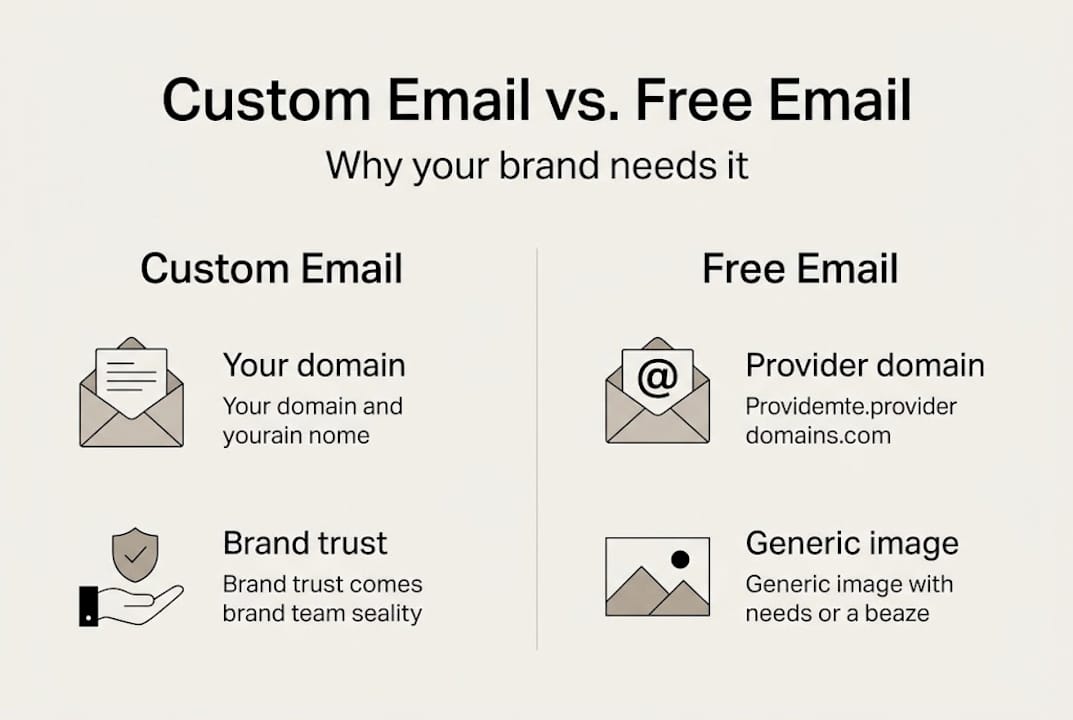
Custom email is an email address that uses your own business domain rather than a free provider's domain. Instead of receiving messages at something like yourname@gmail.com, you communicate as yourname@yourcompany.com. That small shift carries significant weight in how clients, partners, and prospects perceive your business.
The term "domain" refers to the part of an email address that comes after the "@" symbol. When that domain belongs to your business — such as your website's URL — your email becomes an extension of your brand. It signals ownership, commitment, and professionalism in a way that a generic address simply cannot match.
Here is why custom email matters for your business identity:
- Credibility: Clients instinctively trust a branded address. Receiving a quote from
jane@blossomdesign.comfeels more legitimate than the same quote fromblossomdesign2009@gmail.com. - Brand reinforcement: Every email you send reminds the recipient of your business name, reinforcing awareness over time.
- Deliverability: Custom emails configured with proper authentication are far less likely to end up in spam folders.
- Security: Business email providers offer stronger spam filtering, encryption, and admin controls compared to free accounts.
- Separation: Keeping your professional communication in a dedicated account prevents inbox chaos and protects your personal data.
"Branded custom email enhances credibility and brand identity, improves security, and boosts deliverability compared to free generic email accounts."
The key distinction is this: a generic email is tied to a free provider's identity, not yours. A custom email is tied to your business. That is not a cosmetic difference. It shapes how your communication is received, filtered, and remembered.
How Does Custom Email Work? Step-by-Step Setup
Setting up a custom email address involves a few distinct stages. Each step builds on the previous one, and most email hosting providers offer walkthroughs or customer support to guide you through the process.
- Register a domain name. If you already have a business website, you likely own a domain. If not, you can register one through registrars like GoDaddy, Namecheap, or Google Domains. Domain names typically cost between $10 and $20 per year.
- Choose an email hosting provider. This is the service that will store and manage your email. Providers include Google Workspace, Microsoft 365, Zoho Mail, and Hostinger, among others.
- Verify domain ownership. Your hosting provider will ask you to confirm that you own the domain, usually by adding a small text record to your domain's DNS settings.
- Configure your DNS records. You will need to set up three key record types:
- MX records tell the internet where to deliver email for your domain.
- SPF (Sender Policy Framework) specifies which servers are authorized to send email on your behalf.
- DKIM (DomainKeys Identified Mail) adds a digital signature to your outgoing messages, proving they are legitimate.
- DMARC tells receiving servers what to do if SPF or DKIM checks fail.
- Create your email accounts. Once DNS records are configured and verified, you can create as many email addresses as your plan allows.
The full setup process typically takes a few hours. DNS changes can take up to 48 hours to fully propagate across the internet, so plan accordingly.
Pro Tip: Do not skip DKIM and DMARC setup, even if your provider says they are optional. These authentication protocols are the difference between your emails landing in inboxes and being flagged as spam. Most providers have one-click setup tools to make this easier.
Custom Email vs. Free Email: A Practical Comparison
Free email accounts from Gmail, Yahoo, or Outlook are genuinely useful tools. They work well for personal use. For business, the gap becomes significant when you look at the details:
| Feature | Custom email | Free generic email |
|---|---|---|
| Domain | Yourcompany.com | Gmail.com / Yahoo.com |
| Trust signal | High — signals professionalism | Low — often seen as informal |
| Deliverability | High with SPF/DKIM/DMARC | Moderate, subject to filters |
| Branding | Reinforces business identity | Reinforces provider's brand |
| Security controls | Admin-managed, policy-based | Individual account only |
| Storage | Provider-set, expandable | Limited (free tier) |
| Cost | $1–$22 per user per month | Free |
| Support | Business-level support | Community / self-service |
The trust gap between custom and generic email is not a small aesthetic preference. Research shows that 75–85% of consumers trust branded email addresses more than generic ones. For invoices, proposals, client communications, and marketing outreach, a generic address works against you before the recipient even opens the message.
Choosing the Right Provider
The four most widely used options for small businesses:
Google Workspace
Best for: Teams already using Google tools (Docs, Drive, Meet) Price: From $6/user/month Key strengths: Familiar Gmail interface, 30GB+ storage, strong spam filtering, seamless Google integration Consideration: More expensive than alternatives for solo operators
Microsoft 365
Best for: Businesses already using Word, Excel, or Teams Price: From $6/user/month Key strengths: Full Office suite included, Outlook client, strong enterprise security Consideration: Interface is more complex than Gmail for non-technical users
Zoho Mail
Best for: Budget-conscious small businesses and solo operators Price: Free plan available; paid plans from $1/user/month Key strengths: Affordable, privacy-focused, no ads, includes basic CRM tools Consideration: Fewer third-party integrations than Google or Microsoft
Hostinger Business Email
Best for: Businesses that want the lowest possible cost Price: From $0.99/user/month Key strengths: Very affordable, easy setup, solid deliverability Consideration: Fewer collaboration features than Google Workspace or Microsoft 365
| Provider | Starting price | Storage | Best for |
|---|---|---|---|
| Google Workspace | $6/user/month | 30 GB+ | Google tool users |
| Microsoft 365 | $6/user/month | 50 GB | Office suite users |
| Zoho Mail | Free / $1/user/month | 5–50 GB | Budget-conscious owners |
| Hostinger | $0.99/user/month | 10 GB | Lowest cost entry |
Why Most Small Businesses Overlook the True Power of Custom Email
Most small business owners focus on their website, their social media presence, or their Google Business Profile when thinking about their online brand. Email is treated as a utility, not a brand asset.
That's a missed opportunity. Every email you send is a touchpoint with a client, prospect, or partner. The address it comes from is the first thing they see, before the subject line, before the content, before anything else. A generic address signals that the sender hasn't invested in their own brand. A custom address signals the opposite.
Beyond perception, there are three concrete business advantages that generic email cannot replicate:
- Deliverability. Custom email with proper SPF, DKIM, and DMARC authentication reaches inboxes at a significantly higher rate than generic accounts. For businesses that send proposals, invoices, or newsletters, landing in spam is a direct revenue problem.
- Security. Business email providers offer admin controls that personal accounts don't. You can enforce two-factor authentication across your team, revoke access instantly when an employee leaves, and monitor suspicious activity.
- Continuity. If a team member leaves, their custom email address can be redirected or archived. A personal Gmail account walks out the door with them, along with every conversation history in it.
Transform Your Business Communication
At Vegas Solutions, every website package includes help setting up a professional, branded email address that matches your domain — so your business looks consistent from the first touchpoint.
If you're still sending client quotes from a Gmail address, it's one of the easiest upgrades you can make. Request a free website demo and we'll walk you through what a complete, professional online presence looks like.


