

Losing your business website overnight is not a distant possibility. It happens every day to small business owners and self-employed professionals who assumed their hosting provider had everything covered. Nearly half of small businesses that suffer a significant data loss event never fully recover their online presence, and many don't realize how exposed they are until the damage is done. Backups are the single most overlooked layer of web hosting protection, and this guide will walk you through exactly what you need to know to protect your site, your data, and your reputation.
Why Backups Are a Critical Part of Web Hosting
Web hosting gives your website a place to live online, but it doesn't automatically guarantee your data is safe. Many small business owners make the honest mistake of assuming that because their site is "hosted," it is also fully protected. Those are two very different things.
Think about what your website actually contains. Product listings, client intake forms, blog posts built over years, customer records, booking systems. All of that can disappear in a moment due to a successful hack, an accidental deletion, a plugin conflict, or a server-side failure. Without a reliable backup, that loss is permanent.
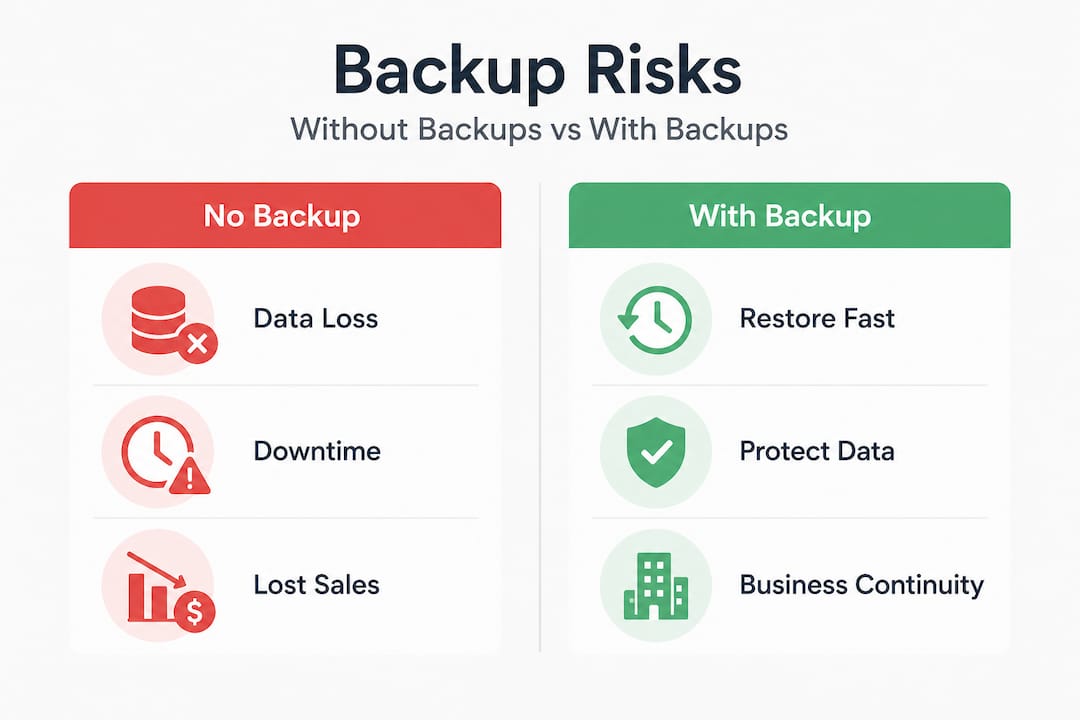
Cyberattacks on small business websites have grown sharply in recent years, with attackers targeting smaller sites precisely because they tend to have weaker defenses. Accidental deletions are more common than most owners admit. A developer makes one wrong move in the file manager, and an entire section of your site is gone. Server hardware fails. Software updates break things. Each of these events is recoverable — but only if you have a clean, recent backup ready to restore.
The key insight: layer hosting with independent backups and always verify integrity. Relying on a single source of backup is itself a risk. A layered approach means your data lives in multiple places, so no single failure can wipe everything out.
Here's what a solid foundational backup strategy includes:
- Automation: Backups run on a schedule without you having to remember
- Retention: Multiple backup versions are kept, not just the most recent one
- Offsite storage: Copies exist somewhere other than your web server
- Integrity checks: Someone or something confirms the backup actually works
"A backup that has never been tested is not really a backup at all. Treat backup verification as a standard part of your website maintenance routine, not an afterthought."
These aren't complicated concepts, but they are ones that most small business websites skip entirely. The cost of getting it wrong is measured in lost revenue, damaged client relationships, and hours of stressful recovery work.
Types of Website Backups: What Options Do You Have?
Not all backups are created equal. There are three main types of website backups, each with different trade-offs in reliability, frequency, and cost.
Manual backups are exactly what they sound like. You log into your hosting control panel, download a copy of your files and database, and store it somewhere safe. This approach gives you full control but depends entirely on your own discipline. Most small business owners start with good intentions and then forget to do it for months. Manual backups are better than nothing, but they are the least reliable option for ongoing protection.
Hosting-provided backups are offered by many web hosts as part of their service plans. These are automated, which is a significant advantage, and they usually cover your core files and database. However, providers may only retain backups for a few days, and restoring from a host-provided backup often requires a support ticket and a waiting period. Your hosting provider's backups should not be your only layer of protection.
Third-party and cloud backups use external tools and services to pull a copy of your website to a separate location, often a cloud storage service like Amazon S3 or Google Drive. This is the most robust option because the backup lives completely outside your hosting environment. If your host experiences a catastrophic failure, your data is safe elsewhere.
| Backup type | Frequency | Storage location | Restoration speed | Reliability |
|---|---|---|---|---|
| Manual | Irregular | Local or cloud | Moderate | Low (human-dependent) |
| Hosting-provided | Daily or weekly | Same server or nearby | Moderate to slow | Medium |
| Third-party/cloud | Daily or hourly | Offsite cloud | Fast | High |
Additional guidance by site type:
- E-commerce and booking sites need the most frequent backups because their data changes constantly — hourly is the right target
- Portfolio and brochure sites can typically get by with daily backups
- Sites with active blogs or forums should run at least daily backups to capture new content
- Any site handling personal or payment data has compliance reasons to maintain thorough backup records
Best Practices for Reliable Web Hosting Backups
1. Automate Your Backups
Set them on a schedule and remove the human element from the equation. Most quality hosting providers and backup plugins allow you to configure daily or hourly automated runs. Do this first.
2. Store Backups Offsite
Retain backups for 14 to 30 days and use offsite cloud storage like Amazon S3 or Google Drive. This ensures you can roll back to a version from two weeks ago if needed, and that your backup isn't sitting on the same server that just failed.
3. Test Your Restores Quarterly
This is the step most people skip. Running a restore test on a staging environment confirms that your backup files are actually usable. A corrupted backup discovered during a real emergency is one of the most stressful and avoidable situations in website management.
4. Layer Your Backup Sources
Don't rely solely on your hosting provider's backup system. Use at least one additional backup source — a dedicated backup plugin, a third-party cloud service, or a manual download kept in separate storage. The goal is redundancy: if one source fails, another covers you.
5. Know Your Recovery Process Before You Need It
Document exactly how to restore your site from a backup. Who has the login credentials? Where are the backup files stored? What is the step-by-step process? Have this written down somewhere accessible before an emergency, not during one.
Recommended tools for small business backup automation:
| Tool | Best for | Cost |
|---|---|---|
| UpdraftPlus | WordPress sites, cloud storage integration | Free / Paid |
| BlogVault | WordPress, easy staging and migration | Paid |
| JetBackup | cPanel hosting environments | Paid |
| Acronis Cyber Protect | Full server and file backup | Paid |
| Cloudflare R2 + custom scripts | Technical users, cost-effective storage | Usage-based |
What Happens When Your Backup Strategy Fails?
The consequences of inadequate backups play out in three distinct ways, each of which carries real business cost.
Data loss and content recovery. Without a recent backup, lost content has to be rebuilt from scratch. For a small business with years of service pages, product listings, and customer reviews, this is not a weekend project. It can take months to restore what was lost, during which time your site may be incomplete, broken, or offline entirely.
Revenue and lead interruption. Every day your site is down or degraded is a day customers can't find you, can't contact you, and can't book your services. For businesses that depend on their website for inbound leads, even 24 to 48 hours of downtime represents meaningful lost revenue. Potential clients who can't reach you will contact someone else.
Reputation and trust damage. A hacked or broken website that customers encounter doesn't just cost you that one visit. It signals that your business is not well-maintained, which erodes the trust that your website was built to create. Recovery isn't just technical — it includes the work of re-establishing confidence with clients who saw your site at its worst.
These aren't worst-case scenarios reserved for unlucky businesses. They are the predictable outcomes of not having a backup plan, and they happen regularly to sites that look perfectly healthy right up until they don't.
Why Most Small Business Backup Plans Fall Short
The most common mistake is assuming the hosting provider has it covered. Many do offer backups, but the retention period is often limited to three to seven days, and restoration is not always self-service. If an issue introduced two weeks ago only becomes apparent today, a seven-day retention window won't help you.
The second most common mistake is treating a backup as a one-time setup task rather than an ongoing maintenance responsibility. Backup systems fail silently. Storage credentials expire. Plugin conflicts interrupt automated runs. Without periodic verification, you may believe you have a backup when you don't.
The third mistake is keeping all backups in the same physical location as the site itself. If your host's server fails catastrophically — fire, hardware failure, account compromise — backups stored on the same server fail with it. Offsite storage exists specifically to protect against this scenario.
How Vegas Solutions Handles Backup and Hosting
At Vegas Solutions, every managed website includes automated backups as part of the standard service. We don't ask clients to remember to run them or verify them manually. Our hosting setup includes scheduled automated runs, offsite cloud storage, and periodic integrity checks so that if something goes wrong, we can restore quickly without the client losing days of data or paying for emergency recovery services.
For small business owners who want the peace of mind of knowing their site is protected without having to manage the technical details themselves, that's exactly what a managed website service is designed to deliver.
If you're not sure whether your current website has adequate backup protection, request a free website demo and we'll walk you through what a properly maintained small business site looks like.


