

Understanding business email hosting: Definition and how it works
Business email hosting provides email services using your company's domain name instead of generic providers like Gmail or Outlook. When you implement web hosting basics, you gain control over your email infrastructure and present a unified brand identity. This service hosts and manages dedicated email servers with increased reliability compared to free alternatives.
The technology operates through specialized servers that handle message routing, storage, and delivery for your custom domain addresses. Your provider manages security configurations, spam filtering, and synchronization across desktop clients and mobile devices. This setup ensures your team accesses email consistently regardless of location or device.
Three primary hosting types serve different business needs:
- Cloud-based solutions offer flexibility and remote access without hardware investments
- Dedicated servers provide maximum control and customization for larger operations
- Hybrid models combine cloud convenience with on-premises security for sensitive data
Free personal email accounts limit your storage, lack advanced security features, and display generic domains that undermine professional credibility. Business email hosting delivers enterprise-grade capabilities scaled for small operations. You control user permissions, implement company-wide policies, and access detailed usage analytics.
Standard features included in professional plans:
- Custom email addresses matching your domain
- Generous storage allocations per mailbox
- Advanced spam and virus protection
- Mobile device synchronization
- Shared calendars and contact management
- Priority technical support
- Data backup and recovery options
- Integration with productivity suites
Pro Tip: Verify your provider guarantees at least 99.9% server uptime and offers 24/7 technical support before committing to a plan. Downtime directly impacts your ability to communicate with customers and can cost you business opportunities.
The infrastructure supporting business email includes redundant servers, automated backups, and security protocols that protect against data loss and cyber threats. Your provider handles software updates, security patches, and server maintenance so you focus on running your business rather than managing technology.
Key features and advantages of business email hosting for small businesses
Business email hosting enhances professionalism and branding, crucial for client trust. When prospects receive messages from contact@yourcompany.com instead of yourcompany@gmail.com, they immediately perceive legitimacy and established operations. This perception influences purchasing decisions and builds confidence in your services.
Security features protect sensitive business communications from threats that target small businesses. Professional hosting includes encryption protocols that secure messages in transit and at rest. Advanced spam filtering blocks malicious emails before they reach your inbox, while phishing protection identifies fraudulent messages attempting to steal credentials or financial information.

Professional email hosting improves communication reliability over free services through guaranteed uptime and redundant infrastructure. Free providers prioritize consumer users, leaving business accounts vulnerable to service interruptions. Professional hosting delivers consistent access with backup systems that maintain operations during server maintenance or technical issues.
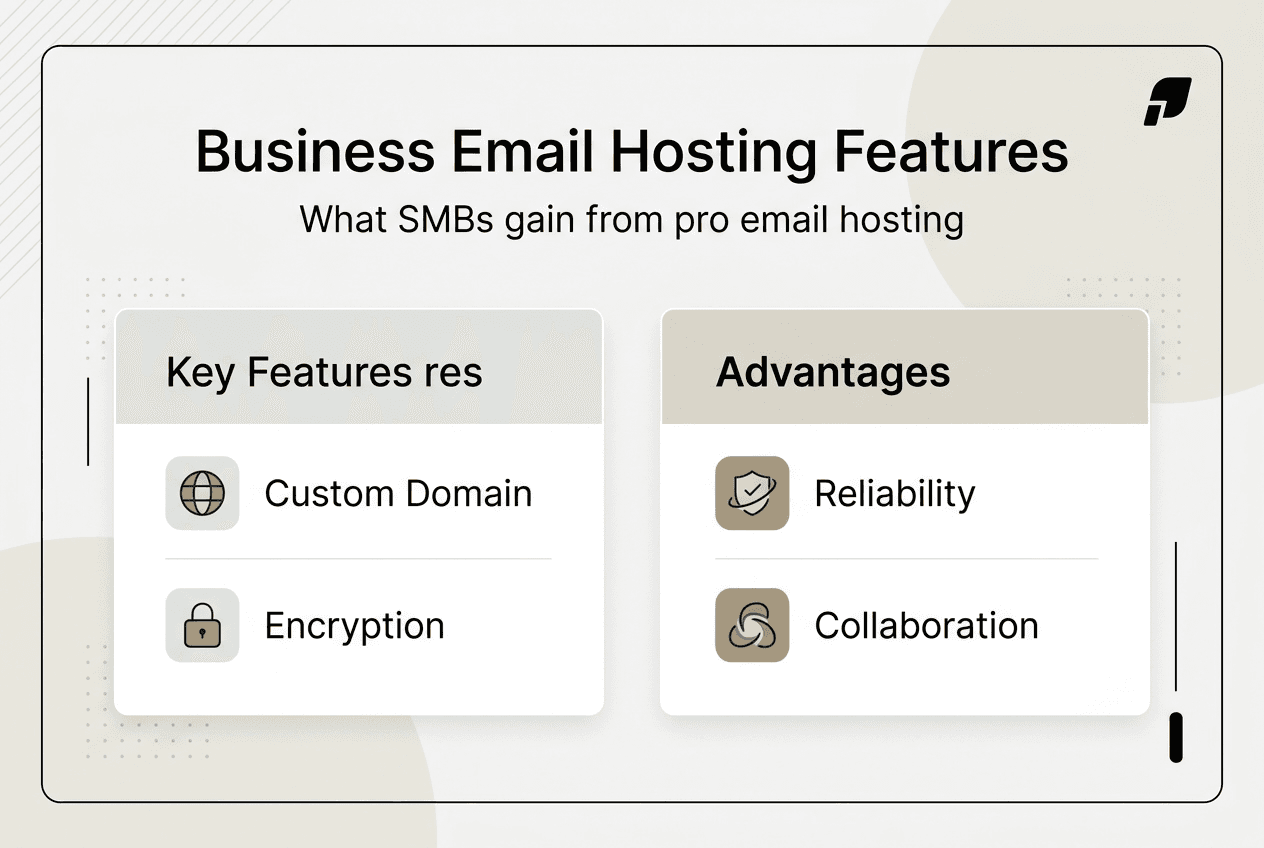
Collaboration capabilities transform how your team coordinates projects and manages client relationships. Shared calendars eliminate scheduling conflicts by displaying team availability in real time. Contact databases sync across devices so everyone accesses current customer information. Integration with productivity applications streamlines workflows by connecting email with project management tools and document storage systems.
Storage capacity and scalability accommodate business growth without forcing you to change providers or migrate data. Professional plans offer substantially more mailbox storage than free accounts, supporting years of message history and large file attachments. As your team expands, you add mailboxes instantly without infrastructure changes.
Top benefits for self-employed professionals and small firms:
- Enhanced brand recognition through consistent domain usage
- Improved deliverability rates compared to free email services
- Centralized account management for multiple team members
- Professional mobile apps optimized for business communication
- Compliance features supporting industry regulations
- Detailed analytics tracking email usage and patterns
Pro Tip: Prioritize providers offering two-factor authentication and encryption options to protect sensitive client data and financial information from increasingly sophisticated cyber attacks targeting small businesses.
Research shows 75% of customers consider professional email addresses when evaluating business credibility. This perception gap between free and hosted email directly impacts conversion rates and customer acquisition costs. Your email address serves as a constant brand touchpoint in every message, proposal, and invoice you send.
The reliability advantage extends beyond uptime guarantees. Professional hosting includes dedicated IP addresses that improve email deliverability by avoiding the reputation issues associated with shared infrastructure. Your messages reach recipient inboxes rather than spam folders because providers actively manage sender reputation and maintain relationships with major email platforms.
Comparing business email hosting providers: What to look for and pricing overview
Selecting the right business email hosting service requires evaluating multiple factors beyond initial price. Choosing the right email hosting provider involves assessing cost, features, and support to match your operational requirements and growth trajectory. Start by identifying your must-have features, then compare how different providers deliver those capabilities.
Uptime guarantees indicate provider reliability and infrastructure quality. Look for services promising at least 99.9% availability, backed by service level agreements that compensate you for outages. Security features should include SSL certificates, spam filtering, virus protection, and regular security audits. Storage allocations vary dramatically between providers, so calculate your current needs and project future requirements based on team size and message volume.
Scalability determines whether your chosen provider can grow with your business. Examine how easily you can add mailboxes, increase storage, and upgrade features without migrating to new platforms. Customer support quality separates premium providers from budget options. Verify support channels include phone, email, and live chat with response times matching your business hours.
| Provider Type | Price Range | Key Features | Support Level |
|---|---|---|---|
| Budget Hosting | $1-3 per mailbox monthly | Basic email, limited storage, standard security | Email support, business hours |
| Mid-Tier Services | $4-8 per mailbox monthly | Enhanced storage, mobile sync, collaboration tools | 24/7 email and chat support |
| Premium Solutions | $10-20 per mailbox monthly | Advanced security, unlimited storage, full integration | Priority phone and dedicated account manager |
| Enterprise Platforms | $20+ per mailbox monthly | Custom configurations, compliance tools, migration assistance | White-glove service and technical consulting |
Pricing models significantly impact your total cost of ownership. Monthly billing offers flexibility for businesses with fluctuating needs or uncertain growth. Annual contracts typically discount monthly rates by 15-20% but require upfront commitment. Per-mailbox fees scale predictably as you add team members, while all-inclusive plans bundle multiple services at fixed rates regardless of user count.
Must-have features for small businesses operating on tight budgets:
- Mobile device compatibility for on-the-go access
- Spam filtering reducing time spent managing junk mail
- Calendar integration coordinating team schedules
- Contact synchronization maintaining updated customer information
- Reasonable storage preventing frequent archive management
- Migration assistance simplifying transitions from current providers
Read service agreements carefully to identify hidden costs that inflate your actual spending. Setup fees, domain registration charges, and premium support tiers add expenses beyond advertised rates. Some providers charge separately for features like additional storage, advanced security, or API access that competitors include in base packages.
Trial periods and money-back guarantees reduce risk when testing new providers. Request trials lasting at least 14 days to thoroughly evaluate performance, interface usability, and support responsiveness. Money-back guarantees extending 30-60 days provide escape routes if the service fails to meet expectations after full deployment.
Match provider capabilities with your business growth plans by projecting needs 12-24 months forward. A solution perfect for your current three-person operation may lack features required when you expand to ten employees. Conversely, enterprise platforms waste money on capabilities small teams never utilize. Consider providers offering tiered plans that let you upgrade features without changing platforms as your requirements evolve.
Setting up and maximizing your business email hosting for success
Proper setup and ongoing management maximize the benefits of business email hosting for operational success. Follow these steps to configure your system correctly from the start and avoid common implementation mistakes that compromise functionality.
- Register your business domain through a reputable registrar if you haven't already established your web presence.
- Select your email hosting provider based on the evaluation criteria covered in the previous section.
- Create individual mailboxes for each team member using consistent naming conventions that reflect your organizational structure.
- Configure DNS records by adding MX entries provided by your host to route email through their servers.
- Set up email clients on desktop computers and mobile devices using IMAP or Exchange protocols for synchronized access.
- Implement email signatures containing your branding elements, contact information, and relevant legal disclaimers.
- Configure spam filters and security settings according to your industry requirements and risk tolerance.
- Test message delivery by sending emails between accounts and to external addresses verifying proper routing.
- Train team members on email policies, security protocols, and productivity features included in your plan.
- Schedule regular reviews of user access, storage utilization, and security logs to maintain optimal performance.
Branding consistency across all email communications reinforces your professional identity and builds recognition. Design email signatures incorporating your logo, brand colors, and standard formatting that matches your website and marketing materials. Professional templates for common message types like proposals, invoices, and customer service responses ensure uniform presentation regardless of which team member sends the communication.
Integration with CRM systems and productivity tools multiplies the value of your email hosting investment. Connect your email platform with customer relationship management software to automatically log communications and track interaction history. Link project management tools so messages convert directly into tasks and action items. Synchronize document storage services enabling attachment access without consuming mailbox storage.
Security best practices protect your business from the growing threat of email-based attacks targeting small businesses:
- Enable two-factor authentication for all mailboxes
- Implement strong password requirements with regular rotation schedules
- Configure automatic logout after periods of inactivity
- Restrict access to sensitive mailboxes using role-based permissions
- Enable encryption for messages containing confidential information
- Regularly review and remove access for departed employees
- Monitor login attempts identifying suspicious access patterns
Pro Tip: Update passwords quarterly and immediately revoke access for employees who leave your organization to prevent unauthorized entry to business communications and customer data.
Spam management reduces time wasted sorting legitimate messages from junk mail. Configure filters to automatically sort suspected spam into separate folders for review rather than immediate deletion. Create whitelists for trusted senders ensuring their messages always reach your inbox. Blacklist known spam sources and report phishing attempts to improve filter accuracy over time.
Employee training on email etiquette and security protocols prevents common mistakes that damage your professional reputation or expose your business to threats. Teach team members to recognize phishing attempts, verify sender identities before clicking links, and use appropriate tone and formatting in client communications. Establish policies for response timeframes, appropriate use of CC and BCC fields, and handling of sensitive information.
Regular maintenance ensures your email system continues performing optimally as your business evolves. Review storage utilization monthly and archive old messages before reaching capacity limits. Update contact lists removing outdated entries and adding new clients. Test backup and recovery procedures annually verifying you can restore data if systems fail. Monitor deliverability rates and investigate any declining trends that might indicate reputation issues.
Explore professional email hosting solutions with Vegas Solutions
Managing email infrastructure alongside website hosting creates complexity that diverts your attention from core business activities. Vegas Solutions simplifies this challenge by bundling reliable email hosting with comprehensive website services tailored for small businesses and self-employed professionals. Our team handles technical configuration, ongoing maintenance, and security updates so you focus on serving customers rather than troubleshooting technology.
We build, host, and maintain everything through a single point of contact, eliminating the frustration of coordinating between multiple vendors. Check our email hosting pricing to discover plans matching your budget and requirements. Our website services include custom design, professional hosting, and continuous support ensuring your online presence and email communications work seamlessly together. If you're curious how your site could look with integrated email solutions, request a custom demo for $69, credited toward the build and refundable until you approve it. For businesses in Alabama, our Montgomery AL website design services provide localized expertise and personalized attention.