

Running a small business already keeps you busy, so handling website upkeep can feel overwhelming. Without regular maintenance, your site may become slow, vulnerable, or outdated, costing you both customers and credibility. Website maintenance covers everything from security scans to content updates and performance checks — but the good news is you do not need to manage these technical tasks yourself.
Table of Contents
- Website Maintenance Defined And Debunked
- Types Of Website Maintenance Tasks
- Why Ongoing Maintenance Protects Your Site
- Key Risks And Costs Of Neglecting Maintenance
- Website Maintenance Vs. DIY Management
Key Takeaways
| Point | Details |
|---|---|
| Importance of Regular Maintenance | Ongoing website maintenance is crucial for security, performance, and functionality. Neglecting these tasks can lead to serious vulnerabilities and business risks. |
| Types of Maintenance | Maintenance falls into four categories: corrective, preventive, evolutionary, and adaptive — each addressing different aspects of website health. |
| Professional vs. DIY | Hiring professional maintenance services is often more efficient and cost-effective than managing it yourself, especially without technical expertise. |
| Consequences of Neglect | Skipping regular maintenance can result in costly security breaches, lost revenue, and reputation damage, making proactive upkeep essential. |
Website Maintenance Defined And Debunked
Website maintenance sounds technical, but it's really just the work needed to keep your website running smoothly. Think of it like maintaining a car — you need regular tune-ups to prevent breakdowns.
Website maintenance is an umbrella term covering tasks necessary to keep your site functional, secure, and up to date. It's not one big project. Instead, it's a collection of smaller activities handled regularly:
- Software updates and security patches
- Regular backups of your data
- Security scans for vulnerabilities
- Content updates and changes
- Performance monitoring and optimization
- Plugin or extension updates
- Database cleanup and maintenance
Without these tasks, your website becomes a liability rather than an asset.
What Maintenance Actually Does For Your Business
Regular maintenance keeps three critical things in check: security, speed, and functionality. When you maintain your site, you're protecting customer data, preventing crashes, and ensuring visitors have a smooth experience. A slow website loses customers. A hacked website loses trust.
Regular maintenance addresses changes in technology and security threats, preventing potential website failure or breaches before they happen.
The Myths Small Business Owners Believe
Many entrepreneurs think website maintenance is something you do once and forget about. That's the biggest myth. Another common misconception: "My website doesn't need updates if nothing looks broken." Behind the scenes, threats are constantly evolving. Invisible vulnerabilities can exist without any visible signs. Understanding why regular website updates matter makes clear that the cost of not maintaining is far greater than the cost of maintaining.
Why You Can't DIY This Alone
Website maintenance requires technical knowledge most business owners don't have — servers, databases, security protocols, and coding. It's also time-consuming: checking updates weekly, running security scans, backing up data, monitoring performance, and testing across devices. That's dozens of hours every month stolen from actually running your business.
Pro tip: Outsource maintenance to a professional service so you can focus on what you do best — running your business, not managing technical tasks behind the scenes.
Types Of Website Maintenance Tasks
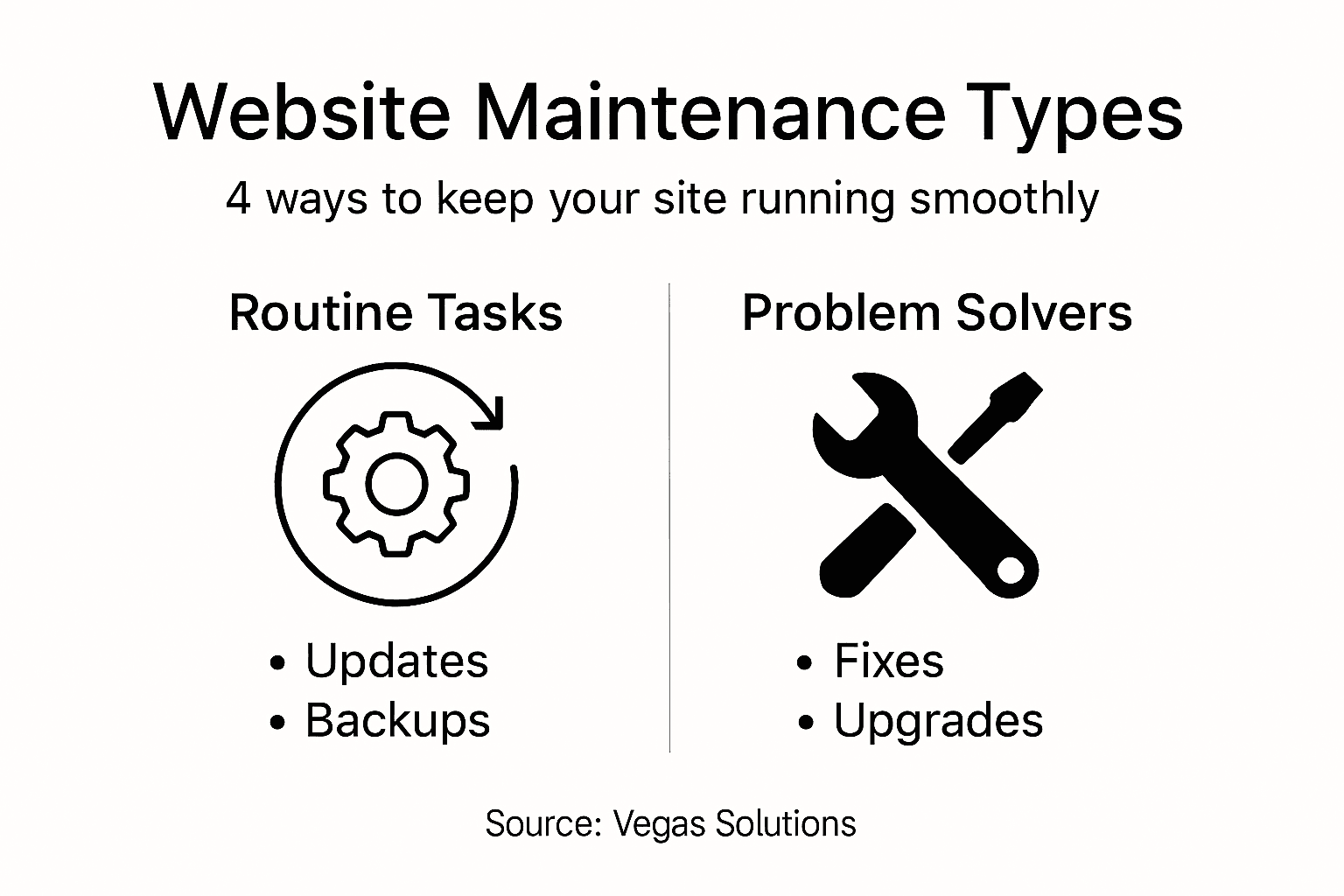
Maintenance tasks fall into four main categories. Each serves a specific purpose, and all of them work together to keep your site running smoothly.
Corrective Maintenance: Fixing What's Broken
Corrective maintenance means fixing errors and bugs that already exist. Common corrective tasks include:
- Fixing broken links that lead nowhere
- Repairing form submission errors
- Resolving database connection issues
- Fixing display problems on certain devices or browsers
- Addressing 404 errors and missing pages
Preventive Maintenance: Stopping Problems Before They Start
Preventive maintenance is about software updates and security patches that keep problems from happening in the first place. This is where most of the real protection comes from:
- Installing software updates regularly
- Applying security patches immediately
- Running automatic backups of your data
- Performing security scans for vulnerabilities
- Updating plugins and extensions
Preventive maintenance stops problems before they start, making it the most valuable type of maintenance you can do.
Evolutionary Maintenance: Growing Your Site
Evolutionary maintenance means adding new features and improvements as your business grows. This includes adding new pages, implementing new functionality, upgrading design elements, and improving user experience. It connects directly to keeping your homepage optimized as your customer base evolves.

Adaptive Maintenance: Staying Compatible
Adaptive maintenance means modifying your site to work with changes in technology and environments. Browsers update, devices change, and search engine algorithms shift. Without adaptive maintenance, your site becomes outdated and incompatible. This is especially important for maintaining fast website speed as web standards evolve.
Pro tip: Schedule maintenance into a regular calendar — daily backups, weekly security scans, monthly content reviews, quarterly feature updates — so nothing gets forgotten.
| Maintenance Type | Primary Goal | Example Business Impact |
|---|---|---|
| Corrective | Fix errors after they occur | Reduced customer frustration |
| Preventive | Avoid problems proactively | Lower risk of data breaches |
| Evolutionary | Add or improve features | Increased customer engagement |
| Adaptive | Stay compatible with changes | Consistent function across devices |
Why Ongoing Maintenance Protects Your Site
Your website faces threats every single day. Hackers probe for vulnerabilities. Technology changes. Code becomes outdated. Think of maintenance like insurance for your business — you pay a small amount regularly to avoid catastrophic losses later.
Security: The Biggest Threat
Cybercriminals constantly search for unpatched vulnerabilities they can exploit. Ongoing maintenance protects you by:
- Closing security holes before hackers find them
- Removing malware and suspicious code
- Updating firewalls and security protocols
- Monitoring for unauthorized access attempts
- Backing up your data before attacks happen
A single security breach can cost thousands in recovery and permanently damage customer trust. The quality of your hosting and the regularity of your security maintenance work hand in hand to keep your business protected.
A hacked website doesn't just lose data — it loses customer trust, which is far harder to rebuild than the website itself.
Performance: Keeping Visitors Happy
Visitors leave slow websites. They abandon sites that crash. They distrust sites that look outdated. Regular maintenance ensures fast loading speeds, zero downtime, smooth functionality across all devices, and a current design that reflects your business professionally. A site that performs well converts more visitors into customers — and fast website speed is a direct result of consistent maintenance.
Compliance: Staying Legal
Laws and regulations change. Accessibility standards evolve. Payment processing rules get updated. Without maintenance, you risk violating data protection regulations, failing accessibility standards, and exposing yourself to legal liability.
The Cost of Neglect
Skipping maintenance saves money short-term but costs far more long-term. Common consequences of neglect include security breaches requiring costly recovery, complete site crashes causing lost revenue, search engine penalties reducing visibility, and emergency repairs costing 5–10 times more than prevention.
Pro tip: Set up automatic backups and security scans today — they run without your involvement and protect you while you sleep.
Key Risks And Costs Of Neglecting Maintenance
The costs of inaction far exceed the costs of prevention. Most small business owners underestimate how quickly a neglected website becomes a liability.
Security Vulnerabilities And Breaches
Unpatched software creates open doors for hackers. Security neglect leads to:
- Stolen customer data and payment information
- Malware infections spreading to visitor devices
- Ransomware attacks demanding payment for recovery
- Loss of customer trust and loyalty
- Legal liability for data breaches
A single breach can cost $10,000 to $100,000 or more in recovery, legal fees, and customer notification. This is one of the key reasons choosing a managed website is such a valuable investment — security patches never get missed.
Lost Revenue From Poor Performance
Slow, broken websites hemorrhage sales. Performance neglect costs you:
- 40% of visitors abandon sites that load slower than 3 seconds
- Lost search engine visibility as Google penalizes slow sites
- Reduced conversion rates from frustrated users
- Damaged credibility from outdated appearance
- Missed sales opportunities while your site is down
Compliance And Legal Penalties
Regulations like GDPR, CCPA, and ADA accessibility standards have real financial teeth:
- GDPR fines reaching 4% of global revenue
- ADA lawsuits for inaccessible websites
- Payment processing violations and merchant account termination
- Class action lawsuits from customers
Outdated compliance puts your business at legal and financial risk, with penalties that can exceed years of maintenance costs.
Reputation Damage
Once customer trust is lost, it's nearly impossible to recover. A neglected website signals an unprofessional, untrustworthy business. Your website is often the first impression customers have — and the essential elements of a professional website only work if the site stays maintained and current.
The Math Of Maintenance Vs. Repair
Regular maintenance might cost $50–200 monthly. Emergency repairs after neglect can cost $5,000–$50,000. Choosing not to maintain is like skipping car oil changes — you save $100 today and spend $5,000 on engine repair tomorrow.
Pro tip: Calculate your actual cost of one hour of website downtime — lost sales, customer service calls, stress — then compare it to monthly maintenance. The choice becomes obvious.
Website Maintenance Vs. DIY Management
You have two choices: handle maintenance yourself or hire professionals. Each option has real tradeoffs that directly affect your business.
The DIY Approach
DIY maintenance works if you have technical knowledge about servers and security, 10–20 hours weekly available, a simple website, and are comfortable troubleshooting. But for most small business owners, one missed security patch can cost more than years of professional maintenance.
The Hidden Costs Of DIY
You save money on service fees but pay in other ways:
- Hours spent learning technical skills that change constantly
- Stress from security responsibility and potential breaches
- Missed business opportunities while you handle technical work
- Expensive mistakes from incomplete knowledge
- Slower problem resolution when issues arise
| Factor | DIY Approach | Professional Service |
|---|---|---|
| Time Required | 10–20 hours per month | Typically under 1 hour |
| Technical Knowledge | High — needs coding, security | Not required — experts handle |
| Risk Level | Higher — mistakes costlier | Lower — proactive prevention |
| Long-Term Cost Impact | Low upfront, high potential | Predictable, stable expense |
| Response to Issues | Slower, may require learning | Rapid, expert intervention |
Professional Maintenance Services
Professional maintenance means hiring experts to handle all technical work — you get peace of mind, expertise, and proactive problem-solving. Professional services provide expert knowledge, 24/7 monitoring, automatic updates, rapid response, and compliance with security standards. A fully managed website includes all of this as part of one predictable monthly fee.
Professional maintenance costs $50–500 monthly but prevents problems worth thousands, making it the mathematically smarter choice for most small businesses.
Which Choice Fits Your Business?
Most small business owners should choose professional services because time is better spent on revenue-generating activities, security requires constant expertise, one mistake creates liability you can't undo, and preventive maintenance costs less than emergency repair. Your website is your business's digital storefront. Treating it like a side project puts everything at risk.
Pro tip: Start with a free consultation with a professional service to understand your actual maintenance needs and costs — then compare that to your real hourly rate and decide if DIY makes financial sense.


