

If you run a small business, you might assume hackers are only interested in Fortune 500 companies. That assumption is dangerous. 81% of small businesses suffered a breach in the past year, and most owners had no idea they were even at risk. Web security is not a luxury reserved for large IT departments. It is a practical, achievable layer of protection that any business with a website needs to understand and act on.
Key Takeaways
| Point | Details |
|---|---|
| Web security basics | Protecting websites means using layered defenses, not just technical jargon. |
| Small business risks | Over 80% of small businesses experience web attacks, mostly from credential theft and system intrusion. |
| Actionable steps | Implement multi-factor authentication, regular patching, and security frameworks like OWASP for practical protection. |
| Frameworks matter | Using standards such as SAMM, NIST, and ISO guides you from confusion to clarity for ongoing web security. |
| Professional help | Professional website management ensures security is handled with expertise, reducing risks and stress. |
Defining Web Security: Foundations and Scope
Web security is the practice of protecting websites, web applications, servers, and networks from cyberattacks using layered defenses including gateways, scanners, and standards like OWASP. In plain terms, it covers every digital door into your business online.
Here are the core components web security addresses:
- Websites and web applications: Your public-facing site, booking forms, checkout pages, and any customer portals.
- Servers: The computers that store and deliver your website files and data.
- Networks: The connections between your systems, your hosting provider, and your users.
- Gateways and firewalls: Filters that block unauthorized traffic before it reaches your site.
- Scanners: Tools that check your site for known vulnerabilities on a regular basis.
"Security is not a product, but a process." Protecting your business online means building multiple overlapping layers, not relying on a single tool.
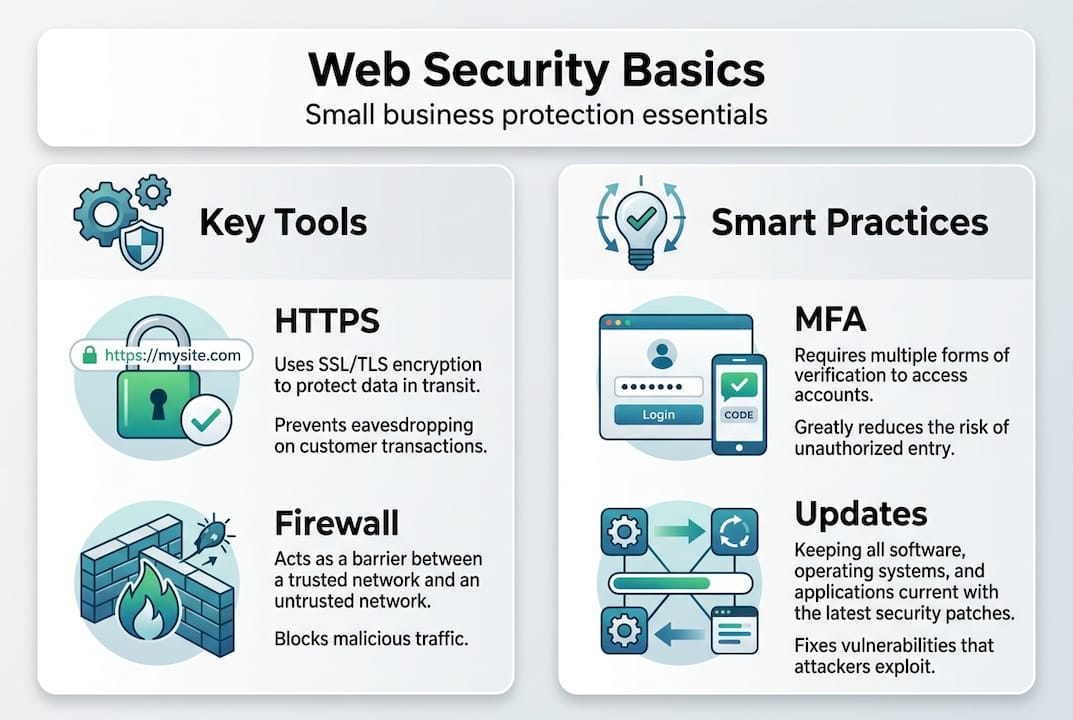
Two terms worth knowing right away are HTTPS and OWASP. HTTPS encrypts data between your visitor's browser and your server. OWASP (Open Web Application Security Project) is a nonprofit that publishes a free guide used by developers worldwide to build safer websites. Familiarizing yourself with basic website security terms is the first step toward understanding why web security matters for your specific situation.
Core Principles: The CIA Triad and Defense Strategies
The foundation of web security is the CIA triad, which stands for Confidentiality, Integrity, and Availability. Here is what each element means for your business:
- Confidentiality: Only authorized people can access sensitive data. Think customer emails, payment info, and login credentials.
- Integrity: Your data stays accurate and unaltered. An attacker should not be able to quietly change your prices or inject malicious code.
- Availability: Your website stays online and accessible. Downtime caused by an attack costs you customers and revenue.
Beyond the triad, two strategies matter most for small businesses. Threat modeling means identifying the most likely ways your site could be attacked before it happens. Defense-in-depth means layering multiple protections so that if one fails, others still hold.
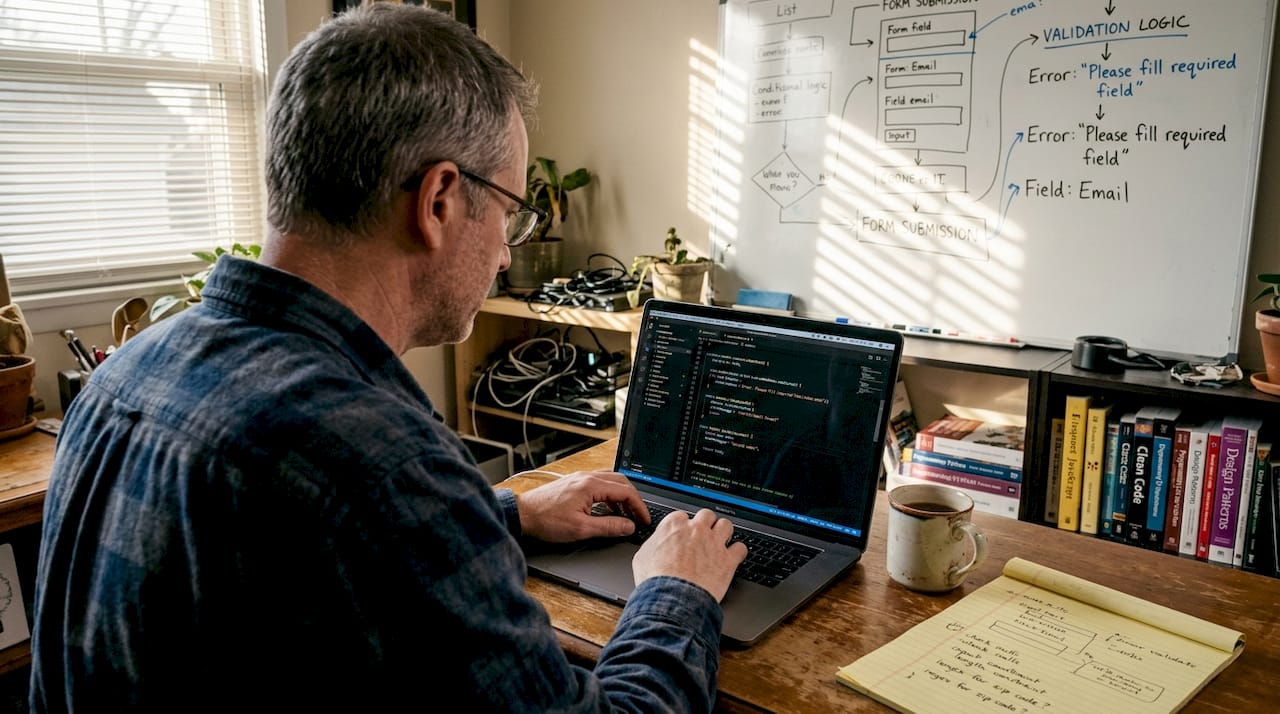
Secure coding and input validation are also critical. Input validation means your website checks what users type into forms before processing it. Without this, attackers can inject harmful commands directly into your database, a technique called SQL injection.
Pro Tip: The NIST password guide recommends using long passphrases over complex passwords with symbols. A phrase like "BlueSkyMorning2026" is both easier to remember and harder to crack than "P@$$w0rd!".
Common Threats Facing Small Business Websites
According to the 2025 DBIR Small Business Snapshot, 43% of all cyberattacks target small businesses, with average breach costs ranging from $120,000 to $10 million. The top attack vectors are stolen credentials, web application attacks, and system intrusion.
Key threats by category:
- Stolen credentials: Attackers buy or guess usernames and passwords, then log in as you or your customers.
- Web application attacks: Exploiting weaknesses in your site's code, forms, or plugins to gain access or steal data.
- System intrusion: Malware or ransomware installed on your server, often through outdated software.
- Social engineering: Phishing emails that trick you or your staff into handing over login details.
- Denial of service (DoS): Flooding your site with traffic until it crashes.
| Threat type | How it happens | Business impact |
|---|---|---|
| Stolen credentials | Weak or reused passwords | Account takeover, data theft |
| Web app attacks | Unpatched plugins, SQL injection | Data breach, defacement |
| System intrusion | Malware, ransomware | Downtime, ransom demands |
| Social engineering | Phishing emails | Credential theft, fraud |
| DoS attack | Traffic flooding | Site downtime, lost sales |
The OWASP Top 10 threats list is updated regularly and identifies the most critical web application security risks. Broken access control and cryptographic failures top the current list, both directly relevant to small business websites.
Understanding website backup importance is equally critical since backups are your last line of defense when everything else fails.
Frameworks and Standards: OWASP SAMM, NIST, and ISO
Security frameworks give you a structured way to assess, improve, and maintain your defenses. You do not need to implement everything at once, but understanding these frameworks helps you prioritize intelligently.
OWASP SAMM (Software Assurance Maturity Model) provides a measurable way to assess and improve your software security practices. It covers governance, design, implementation, verification, and operations. Even at the basic level, SAMM helps small businesses identify where their biggest gaps are.
NIST Cybersecurity Framework organizes security activities into five functions: Identify, Protect, Detect, Respond, and Recover. This framework is widely used by businesses of all sizes and maps directly to practical steps you can take. The NIST password guidelines alone are worth reviewing.
ISO 27001 is an international standard for information security management. Full certification requires significant investment, but the framework's principles — risk assessment, access control, incident response — provide a useful roadmap even for small businesses not pursuing formal certification.
Practical Steps: Secure Setup and Ongoing Protection
Understanding threats and frameworks is valuable, but action is what protects your business. Here are the most impactful steps you can implement starting today:
- Enable HTTPS: Every page on your website should use HTTPS. Most hosting providers offer free SSL certificates. If your site still shows HTTP in the address bar, fix this immediately.
- Enable multi-factor authentication (MFA): Require a second verification step for all admin logins. This single step blocks the majority of credential-based attacks.
- Keep software updated: Outdated CMS platforms and plugins are the most common entry point for attackers. Enable automatic updates or check weekly.
- Back up regularly: Automated daily or weekly backups stored off-site give you a recovery path if the worst happens. Test your backups — many businesses discover they don't work only after a disaster.
- Use a Web Application Firewall (WAF): Services like Cloudflare's free tier block common attack patterns before they reach your site.
- Validate all inputs: Ensure your website checks data entered into forms before processing it to prevent SQL injection and cross-site scripting.
- Audit access regularly: Review who has admin access to your website and remove accounts that are no longer needed.
- Monitor for anomalies: Security plugins and monitoring services alert you to suspicious login attempts, file changes, and unusual traffic patterns.
For a comprehensive walkthrough, review the practical website security guide and the 8 practical security tips for business websites.
Get Professional Help: Secure Your Business Website
Most small business owners are not web security experts — and they should not need to be. The problem is that security is ongoing. It is not a one-time setup. Software changes, new vulnerabilities emerge, and attack techniques evolve constantly.
Professional website management services handle security as part of comprehensive site maintenance. Updates get applied promptly. Backups run automatically and are verified. Monitoring catches issues before they escalate. When a threat is detected, someone with expertise responds.
Vegas Solutions provides fully managed websites for small businesses, with security built into every layer. Our clients get a fast, professional website without the burden of technical maintenance. When security issues arise, we handle them — not you.
Get started with a free website demo to see how Vegas Solutions builds and protects websites for small businesses like yours.
Frequently Asked Questions
What is web security for small businesses?
Web security for small businesses means protecting your website, web applications, and server from cyberattacks. This includes implementing HTTPS, using strong authentication, keeping software updated, maintaining backups, and monitoring for threats. The goal is to keep your data, your customers' data, and your business operations safe.
Why are small businesses targeted by hackers?
Small businesses are targeted precisely because attackers assume they lack sophisticated defenses. They typically have valuable customer data, process payments, and have less dedicated IT security than large companies. Automated attack tools scan millions of websites looking for easy vulnerabilities, and unprotected small business sites are frequently found.
What is the OWASP Top 10?
The OWASP Top 10 is a regularly updated list of the most critical web application security risks. It is published by the Open Web Application Security Project, a nonprofit focused on improving software security. The current top risks include broken access control, cryptographic failures, and injection attacks. Understanding this list helps you prioritize your security improvements.
How do I know if my small business website has been hacked?
Warning signs include unexpected changes to your website content, new admin accounts you did not create, slow loading or unusual downtime, Google search results showing spam or foreign language content from your site, and customer reports of suspicious redirects. Security monitoring tools alert you to these signs automatically.
What is the most important web security step for a small business?
Enabling multi-factor authentication on all admin accounts is arguably the single most impactful step. Stolen credentials are the most common attack vector for small businesses. MFA blocks the vast majority of credential-based attacks even when passwords are compromised. Combine this with HTTPS and regular software updates for a strong baseline.


