

You're not alone if website jargon makes your head spin. More than 70% of small business owners feel overwhelmed by technical terms during development discussions. Understanding core website vocabulary transforms confusion into confidence, helping you communicate clearly with developers, make smart decisions, and manage your online presence without tech headaches. This guide breaks down essential website terms in simple language so you can take control of your digital storefront.
Introduction to essential website terms
Navigating website conversations feels like learning a foreign language. Terms like domain, hosting, CMS, SSL, and SEO get thrown around by developers, but what do they actually mean for your business?
A domain is your website's address, like vegassolutions.tech. It's how customers find you online. Hosting is where your website files live, similar to renting space for a physical store. A CMS (Content Management System) lets you update website content without coding knowledge. SSL (Secure Sockets Layer) encrypts data between your site and visitors, shown by the lock icon in browsers. SEO (Search Engine Optimization) helps your site appear in search results when potential customers look for services like yours.
Understanding these terms delivers real benefits. You communicate better with web professionals, reducing misunderstandings and project delays. You make informed decisions about what is a business website features you actually need. You spot red flags early and avoid costly mistakes. When discussing choosing website hosting for small business options, you know which questions to ask.
Common terms you'll encounter include responsive design (sites that work on all devices), plugins (add-on features), backups (saved copies of your site), and meta tags (hidden text that helps search engines understand your pages). Each term connects to how your site performs, ranks, and protects your business reputation.
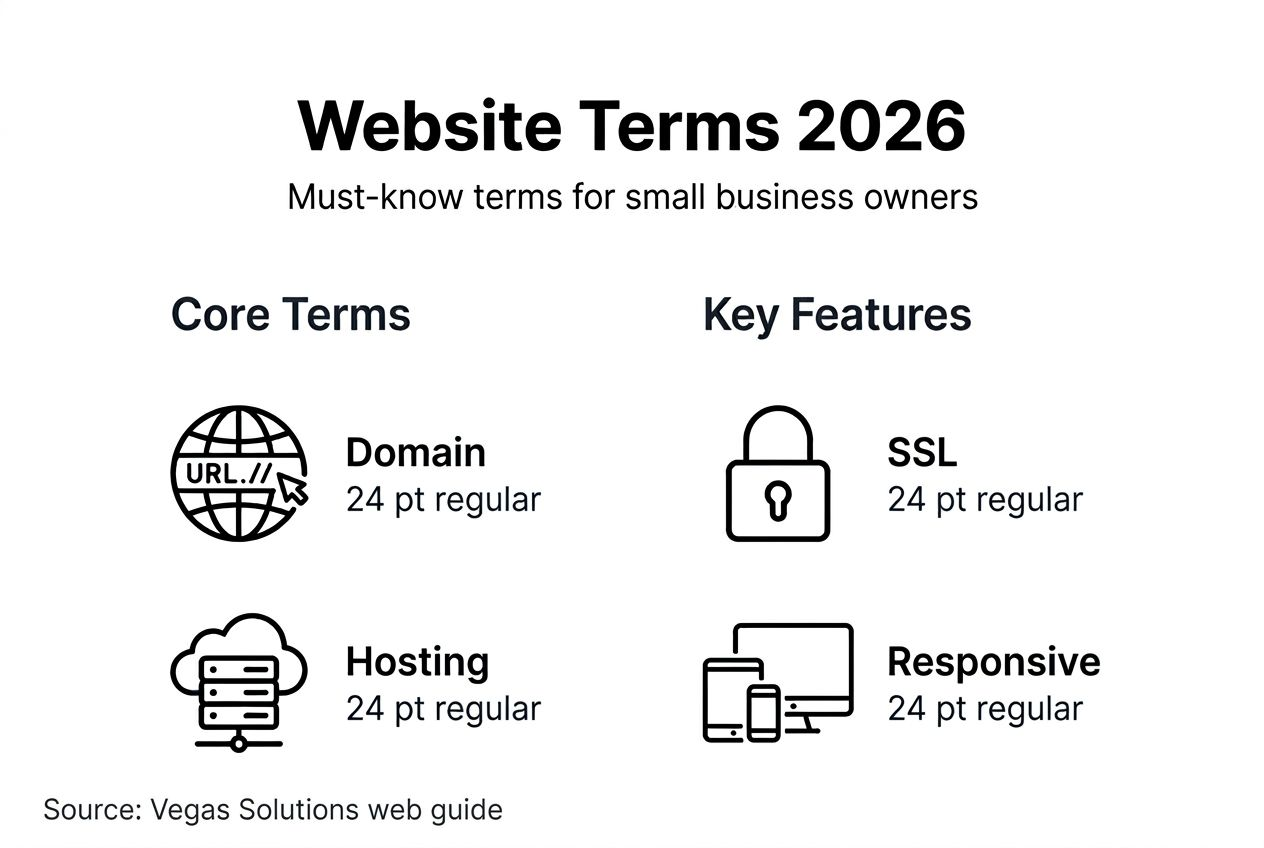
Pro Tip: Start by mastering five core terms: domain, hosting, SSL, mobile-first, and backups. Once these feel natural, expand your vocabulary gradually. You don't need to know everything at once.
These fundamentals lay the groundwork for deeper website security for small businesses understanding. The small business website design options in 2026 continue evolving, but core concepts remain constant.
Why website terms matter for your business
Your website vocabulary directly impacts business success. When you understand terms like SSL, domain authority, and CMS capabilities, you make strategic decisions that build credibility and drive growth.
75% of consumers judge credibility based on website design and security indicators.
This statistic reveals a harsh truth: your online presence shapes customer trust before any personal interaction. A secure, well-designed site signals professionalism. Missing security certificates or confusing navigation sends visitors straight to competitors.
SEO terms affect your bottom line. Understanding keywords, meta descriptions, and page speed helps you attract organic traffic without paid advertising. Small businesses that optimize for search see 2.8 times more traffic growth than those ignoring SEO fundamentals. When you grasp these concepts, you spot opportunities competitors miss.
Security terminology protects your reputation and wallet. Knowing the difference between HTTP and HTTPS prevents embarrassing security warnings that scare customers away. Understanding SSL certificates and plugin vulnerabilities helps you avoid data breaches that cost small businesses an average of $200,000 in recovery and lost business.
Ignoring website terminology creates expensive problems. Business owners who don't understand hosting limitations often pay for features they never use or choose inadequate plans that crash during traffic spikes. Those unfamiliar with backup terminology lose years of customer data in preventable disasters.
Professional site design for small businesses starts with clear communication. When you speak the same language as your developer, projects finish faster and match your vision. Misunderstandings about responsive design or mobile optimization lead to costly revisions and delayed launches.
The business website optimization guide principles become actionable when you understand the terminology behind them. Technical terms aren't obstacles; they're tools for better business decisions. Your small business online presence in 2026 depends on this foundational knowledge.
Key website terms for user experience
User experience terminology defines how visitors interact with your site. These terms directly influence whether potential customers stay, explore, and convert or bounce to competitors.
Responsive design means your website automatically adjusts to any screen size, from phones to desktops. UX (User Experience) covers the overall feel and ease of using your site. UI (User Interface) refers to the visual elements like buttons, menus, and layouts. Mobile-first design prioritizes smartphone users when building site features and layouts.

These concepts matter because mobile traffic accounts for over 60% of web visits in 2026. A site that looks perfect on desktop but breaks on mobile loses more than half your potential customers. Search engines now rank mobile-friendly sites higher, making responsive design essential for visibility.
| UX Factor | Impact on Engagement |
|---|---|
| Clear navigation | 94% higher user satisfaction |
| Fast load times | 70% fewer abandoned visits |
| Mobile optimization | 60% increased conversions |
| Simple design | 75% better trust perception |
These numbers show why professional site design impact extends beyond aesthetics. Clean UX/UI builds confidence and guides visitors toward contact forms or purchase buttons naturally.
Key UX/UI best practices for small businesses:
- Use obvious, descriptive button labels like "Get a Quote" instead of "Submit"
- Limit menu items to seven or fewer to prevent overwhelm
- Place contact information in the header and footer of every page
- Choose readable fonts sized 16px minimum for body text
- Ensure clickable elements have enough space to tap easily on mobile
- Use white space generously to let content breathe
The benefits of simple websites become clear when you prioritize user experience. Complicated sites with flashy features often perform worse than clean, focused designs that guide visitors effortlessly.
Pro Tip: Test your website on your own smartphone regularly. If you struggle to find information or buttons are hard to tap, your customers face the same frustrations. Simple user testing reveals UX problems before they cost sales.
Understanding responsive design and UX importance in 2026 helps you evaluate designer proposals and hosting features effectively. These terms translate directly to revenue and customer satisfaction.
Key website terms for performance and SEO
Performance and search optimization determine whether people find and stay on your site. Understanding these terms helps you compete effectively without massive marketing budgets.
Website speed measures how fast your pages load. SEO (Search Engine Optimization) encompasses strategies that help search engines find and rank your site. Keywords are words and phrases people type into search engines. Meta tags are hidden code snippets that describe your page content to search engines.
Speed dramatically affects user behavior. 53% of mobile users abandon sites that take longer than three seconds to load. Every second of delay reduces conversions by 7%. For a small business making $100,000 annually from their website, slow load times could cost $7,000 in lost sales.
SEO vocabulary unlocks organic traffic growth. Businesses that understand keyword research and on-page optimization see 2.8 times more traffic increase compared to those ignoring search fundamentals. This means more potential customers finding you without paid ads.
Actionable performance and SEO improvements:
- Compress images to reduce file sizes without losing quality
- Choose keywords your customers actually search, not industry jargon
- Write meta descriptions that clearly explain page content in 150-160 characters
- Update old content regularly to show search engines your site stays current
- Use descriptive headings that include relevant keywords naturally
- Enable browser caching to speed up repeat visits
Keywords are specific terms you want to rank for, like "plumber in Austin" or "affordable web design." Research what your customers search using free tools like Google's Keyword Planner. Meta tags include your title tag (what shows in search results) and meta description (the preview text below). These tags don't appear on your page but tell search engines what each page covers.
The business website optimization guide breaks down technical improvements into manageable steps. Performance isn't just about speed; it's about creating smooth experiences that keep visitors engaged and search engines ranking you higher.
Understanding these terms lets you evaluate hosting plans, discuss improvements with developers, and prioritize changes that actually move the needle. When someone mentions "optimizing your meta descriptions" or "improving page speed," you'll know exactly what they mean and why it matters for your bottom line.
Understanding security terms
Security terminology protects your business from threats while building customer trust. These terms aren't optional technical jargon; they're essential safeguards for your online presence.
SSL (Secure Sockets Layer) encrypts data traveling between your website and visitors. HTTPS (the "S" stands for "Secure") shows in your URL when SSL is active. The lock icon in browser address bars signals this security to visitors. Plugins are software add-ons that extend website functionality but require careful management.
These security indicators matter enormously. 70% of users avoid sites without HTTPS, immediately clicking away when browsers display "Not Secure" warnings. That's seven out of ten potential customers lost before they read a single word about your services.
Outdated plugins cause over 50% of security breaches.
This statistic highlights a common vulnerability. Plugins add valuable features like contact forms, galleries, or booking systems. However, each plugin introduces potential security holes if not updated regularly. Hackers specifically target outdated plugins because they're predictable entry points.
Security best practices for small businesses:
- Install SSL certificates on all pages, not just checkout or contact forms
- Update plugins immediately when new versions release
- Delete unused plugins completely rather than just deactivating them
- Choose plugins from reputable developers with regular update histories
- Run security scans monthly to detect vulnerabilities early
- Use strong, unique passwords for all admin accounts
Common security myths need debunking. Many owners believe, "My small business isn't a target." Wrong. Automated attacks scan millions of sites daily, targeting vulnerabilities regardless of business size. Others think, "Security is too complicated." Modern tools make protection straightforward when you understand basic terminology.
The visible trust signals matter for conversions. Sites displaying HTTPS and security badges convert 18% better than unsecured alternatives. Customers notice these indicators even if they don't understand the technical details. Your website security essentials protect both data and reputation.
Small business website security risks in 2026 evolve constantly, but fundamental protections remain consistent. SSL certificates, HTTPS, and plugin management form your first line of defense. Understanding these terms helps you ask the right questions and maintain proper security standards.
Key website terms for functionality and maintenance
Functionality and maintenance terminology keeps your website running smoothly long after launch. These concepts prevent the costly disasters that sink unprepared businesses.
Plugins extend your site's capabilities, adding features like contact forms, SEO tools, or e-commerce functions. Backups are complete copies of your website files and database, stored separately for recovery. Website maintenance covers regular updates, security checks, and performance monitoring.
Backups protect against catastrophic losses. A server crash, hack, or accidental deletion can wipe years of content and customer data instantly. Backups prevent business failure by enabling quick restoration. Without them, rebuilding from scratch costs thousands of dollars and countless hours.
Establishing a maintenance and backup routine:
- Schedule automatic daily or weekly backups to cloud storage
- Test backup restoration quarterly to verify files work
- Update WordPress core, themes, and plugins monthly minimum
- Review site performance metrics monthly for slowdowns
- Check security scan results and address warnings immediately
- Remove unused plugins and themes to reduce vulnerabilities
- Monitor uptime to catch outages quickly
| Element | Role | Security Implications |
|---|---|---|
| SSL Certificates | Encrypt data transmission | Protects customer information; builds trust |
| Plugins | Add functionality | Each plugin increases attack surface; requires updates |
This comparison shows how different elements serve distinct purposes. SSL secures connections universally across your site. Plugins solve specific needs but demand ongoing management. Both require attention, but SSL setup is typically one-time while plugins need continuous monitoring.
Regular maintenance prevents vulnerabilities that hackers exploit. Software developers constantly patch security holes. When you delay updates, you leave known weaknesses exposed. Major breaches often occur through neglected maintenance, not sophisticated attacks.
The role of website support becomes clear when considering maintenance demands. Professional support handles these routine tasks systematically, preventing the overwhelm that causes business owners to postpone critical updates.
Pro Tip: Treat website maintenance like changing your car's oil. Regular small efforts prevent major breakdowns. Schedule maintenance on your calendar monthly or quarterly, depending on site complexity. Consistency matters more than perfection.
Website maintenance and backups in 2026 standards continue rising. Visitors and search engines expect reliable, secure sites. Understanding functionality and maintenance terms helps you meet these expectations consistently.
Common misconceptions about website management
Misunderstandings about website management lead to costly neglect and security disasters. Correcting these myths protects your investment and online reputation.
Many believe websites need no attention after launch. This dangerous assumption leaves sites vulnerable to attacks and technical failures. 65% of small business owners wrongly believe no ongoing maintenance is needed, creating widespread security risks and poor performance.
Another common myth: "Plugins are always safe." Reality check: plugins from unknown developers or left outdated create major vulnerabilities. Each plugin adds code that can conflict with other elements or harbor security flaws. Quality matters more than quantity.
Some owners think, "Website knowledge is only for technical people." False. Understanding basic terminology empowers you to manage service providers, spot problems early, and make informed decisions. You don't need to code; you need clear vocabulary.
The misconception that "expensive means better" causes overspending. Premium hosting or fancy features don't guarantee results. Matching services to your actual needs delivers better ROI than buying every available option.
Website management do's and don'ts:
- Do schedule regular backups and updates consistently
- Don't install plugins without researching developer reputation
- Do learn core terminology to communicate effectively
- Don't assume your site is too small to attract hackers
- Do test your site on mobile devices regularly
- Don't ignore security warnings or postpone critical updates
- Do ask questions when service providers use unfamiliar terms
- Don't believe "set it and forget it" promises about website maintenance
Understanding these realities changes how you approach website ownership. Professional website support exists because ongoing care matters. Sites require attention like any business asset.
The belief that "good design lasts forever" ignores technology evolution. Design trends, security standards, and user expectations shift constantly. Websites built even three years ago may need updates to meet current mobile-first and security requirements.
Another myth: "SEO is one-time work." Search algorithms change frequently. Competitors improve their sites. Content goes stale. Effective SEO requires ongoing attention to keyword trends, content updates, and technical optimization.
Debunking website maintenance misconceptions in 2026 helps you approach online presence realistically. Understanding true maintenance needs prevents the shock of discovering neglect consequences. Your website serves as your digital storefront; treat it with appropriate care and attention.
Putting website terms into practice: how to manage your site with confidence
Knowledge becomes power when you apply it. These actionable steps transform terminology understanding into effective website management.
Questions to ask web developers and service providers:
- What CMS platform do you recommend for my business needs and why?
- How do you ensure mobile-first responsive design across all devices?
- What SSL certificate options protect my site and customer data?
- Which hosting plan matches my traffic and performance requirements?
- How frequently do you update plugins and perform security checks?
- What backup schedule and storage location do you provide?
- Can you explain your approach to on-page SEO and keyword optimization?
These questions demonstrate informed engagement. Developers respect clients who understand terminology and ask specific questions. You'll receive better service and fewer surprises.
Steps to prioritize mobile-first and secure features:
- Test every page on smartphones before launch
- Verify SSL certificate installation across your entire site
- Enable HTTPS redirection from HTTP versions
- Confirm responsive design works on various screen sizes
- Check loading speeds on mobile networks, not just WiFi
- Review security scan results monthly
- Install only essential plugins from trusted developers
Setting a regular maintenance schedule protects your investment. Weekly backups catch problems before they escalate. Monthly plugin updates close security gaps. Quarterly performance reviews identify optimization opportunities. Annual design audits keep your site current with evolving standards.
Using terminology knowledge avoids expensive mistakes. When choosing website hosting, you'll understand bandwidth limitations, uptime guarantees, and SSL inclusion. You won't overpay for unnecessary features or underbuy critical capabilities.
Daily management action items:
- Monitor site uptime with automated alerts
- Check contact forms function properly
- Review security notifications immediately
- Respond to user experience feedback
- Update content to maintain freshness
- Track performance metrics weekly
- Schedule professional support consultations monthly
Long-term website health requires consistent attention. Understanding website support role helps you decide which tasks to handle personally versus delegating to professionals. Some owners prefer hands-on management; others value outsourcing technical details.
Confident website management comes from applied knowledge, not perfection. Start with fundamentals: ensure backups run, updates install promptly, and security stays current. Build from there based on your comfort level and business needs. Your growing vocabulary enables better decisions at every stage.
Boost your small business website with expert support
Understanding website terms empowers you, but managing everything yourself isn't required. Professional support transforms technical knowledge into worry-free online presence.
Your new vocabulary helps you communicate clearly with web professionals and make informed decisions. Yet the ongoing demands of hosting, security updates, plugin management, and performance optimization consume valuable time. Time you'd rather spend growing your business.
Vegas Solutions handles the technical details so you don't have to think about them. We build, host, and maintain websites built and managed monthly with one point of contact and simple language. No tech headaches. Fast turnaround. Ongoing support that keeps your site secure, fast, and current.
Our website service pricing offers flexible options fitting small business budgets. Start with a $69 custom demo and continue only if it feels like a good fit. Your understanding of website terms helps you recognize quality service when you see it.