

What you need before updating your website
Before you start editing pages and swapping images, you need to know where you stand. First, identify your website platform. WordPress powers around 43% of all websites and offers extensive customization, while platforms like Squarespace and Wix provide simpler drag and drop interfaces. Knowing your platform determines which tools you'll use and how you'll access your content.
Next, understand the types of content you can update. Most websites include pages (like About Us or Services), blog posts, images and videos, and product listings if you sell online. Each content type serves a different purpose, and updating them strategically can address specific business goals. For example, refreshing your homepage might improve first impressions, while updating blog posts can boost search traffic.
Gather your current content and access credentials before making changes. Log into your website dashboard and take screenshots of pages you plan to update. This creates a reference point if you need to revert changes. Also collect any new images, updated business information, or revised service descriptions you want to add. Having everything ready saves time and keeps your update process smooth.
Prepare a simple content audit checklist to guide your updates:
- Pages with outdated information or old dates
- Broken links or missing images
- Sections with unclear calls to action
- Content that doesn't reflect current services or pricing
- Pages loading slowly or displaying poorly on mobile
Most platforms require only basic digital skills. Editing a Squarespace website involves modifying content and design elements through the platform's visual editor, which means you can click, type, and drag elements without touching code. If you can use email and word processing software, you can update your website.
Pro Tip: Before making any changes, create a full backup of your website. Most platforms offer one click backup options in the settings menu, and this safety net lets you experiment confidently knowing you can restore everything if needed.
For a deeper dive into creating compelling content from scratch, check out our website content creation guide. Understanding the elements of professional websites also helps you identify which parts of your site need the most attention.
Step by step process for updating website content
Now that you have your tools and content ready, follow these steps to update your website effectively. Each step builds on the previous one, creating a systematic approach that minimizes errors and maximizes impact.
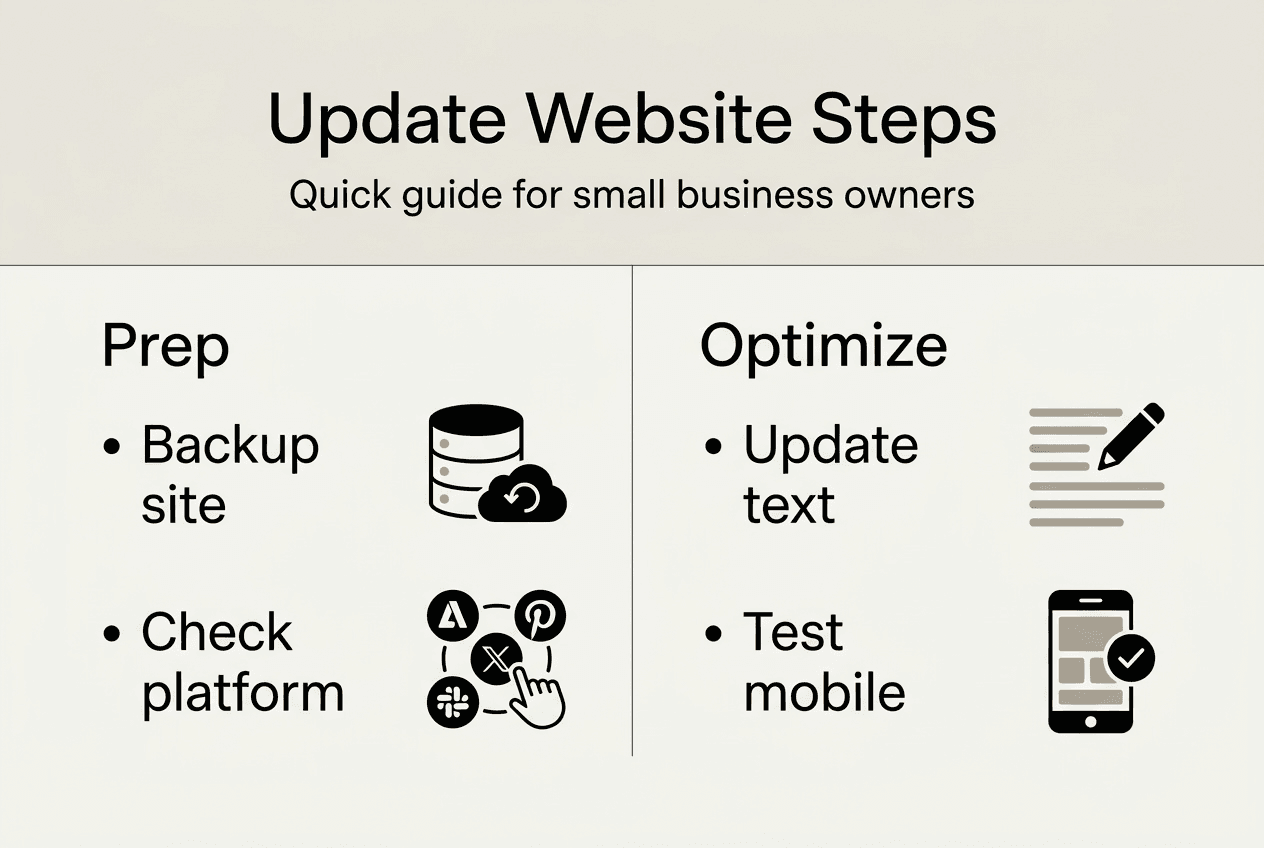
Log in and create a backup. Access your website dashboard using your credentials. Navigate to your platform's backup or export feature and save a complete copy of your site. This takes just a few minutes but protects hours of work.
Edit text to keep information current. Click into each page or post you want to update. Replace outdated dates, old business hours, discontinued services, or any information that no longer applies. Keep your writing clear and focused on what matters to your visitors. Squarespace's visual editor uses drag and drop, making text updates as simple as clicking and typing.
Swap out old images for fresh visuals. Dated photos make your entire site feel neglected. Replace low quality or irrelevant images with current, high resolution photos that represent your business accurately. Compress images before uploading to maintain fast load times. Most platforms have built in image optimization, but you can also use free tools online.
Adjust navigation menus to improve clarity. Review your main menu and footer links. Remove pages you no longer need and add new ones. Organize menu items logically so visitors can find what they need in two clicks or less. Clear navigation reduces bounce rates and keeps people exploring your site.
Optimize content with relevant keywords. Identify terms your customers use when searching for your services. Naturally incorporate these keywords into headings, first paragraphs, and throughout your content. Avoid stuffing keywords unnaturally, which hurts readability and can trigger search engine penalties. Regularly updating website content improves search engine rankings when done strategically.
Add or update calls to action. Every page should guide visitors toward a next step, whether that's contacting you, scheduling a consultation, or making a purchase. Place your strongest call to action above the fold where visitors see it immediately. Use action oriented language like “Get your free quote” instead of generic phrases like “Learn more.”
Preview changes before publishing. Most platforms offer a preview mode that shows how your updates will look on desktop, tablet, and mobile devices. Check every page you edited to catch formatting issues, broken links, or text that doesn't display correctly. This step prevents embarrassing mistakes from going live.
Publish updates and monitor results. Once you're satisfied with your changes, hit publish. Then watch your analytics over the next few weeks to see how visitors respond. Traffic patterns, time on page, and conversion rates tell you whether your updates are working.
Pro Tip: Update your most visited pages first for the biggest impact. Check your analytics to see which pages get the most traffic, then prioritize those for updates. This strategy delivers faster results because you're improving content that already attracts visitors.
Learn more about why updating your website benefits your business and explore homepage design tips to make your updates even more effective.
Common mistakes to avoid and tips for a smooth update
Even with a solid plan, certain pitfalls can undermine your update efforts. Recognizing these mistakes helps you avoid them and ensures your changes actually improve your site.
Don't neglect mobile optimization. Over half of web traffic comes from mobile devices, yet many small business sites still display poorly on phones and tablets. After updating content, test every page on your smartphone. Text should be readable without zooming, buttons should be easy to tap, and images should scale properly. Slow website load times lead to higher bounce rates and lower Google rankings, especially on mobile.

Avoid confusing navigation that frustrates users. Some business owners add so many menu items that visitors feel overwhelmed. Stick to five to seven main navigation links and use dropdown menus sparingly. Every additional click between a visitor and their goal increases the chance they'll leave. Keep your navigation intuitive and your site structure flat.
Don't let your content get stale after launch. Updating your website once and forgetting about it wastes the effort you just invested. Set a recurring calendar reminder to review your content quarterly. Even small updates like adding a new testimonial or refreshing a statistic keep your site feeling current. Updating content can increase customer engagement by 20 to 30% when done consistently.
Avoid keyword stuffing and focus on value. Yes, keywords matter for SEO, but cramming them into every sentence makes your content unreadable. Write for humans first, then naturally incorporate keywords where they fit. Search engines have gotten smart enough to recognize quality content, so prioritize clarity and usefulness over keyword density.
Regularly fix broken links and outdated info. Nothing erodes trust faster than clicking a link that goes nowhere or reading information that's clearly years old. Use free tools to scan your site for broken links monthly. Update any statistics, case studies, or time sensitive information to reflect current data. These small fixes signal to visitors and search engines that you maintain your site professionally.
Keep design consistent and user friendly. When updating content, resist the urge to experiment with wildly different fonts, colors, or layouts on different pages. Consistency builds trust and makes your site easier to navigate. Stick to your brand colors and use the same heading styles throughout.
“A website is never finished. The most successful small business sites are those that evolve with the business, reflecting current offerings and customer needs through regular, thoughtful updates.”
Pro Tip: Create a simple checklist for each update session. Include items like “Check mobile display,” “Test all links,” “Update copyright year,” and “Add new customer testimonial.” This prevents you from forgetting important details when you're focused on content changes.
Understand the role of website speed in boosting small business success and discover why website updates matter for long term growth.
How to verify your updates are effective
Making updates is only half the job. You need to track whether those changes actually improve your website's performance. Measuring results helps you understand what's working and guides future update decisions.
Use Google Analytics and Search Console to track traffic and rankings. These free tools show how many people visit your site, which pages they view, how long they stay, and which search terms bring them to you. After updating content, compare metrics from the month before your updates to the month after. Look for increases in page views, session duration, and pages per session. Search Console reveals whether your updated pages are ranking higher for target keywords.
Compare engagement metrics before and after updates. Key metrics include bounce rate, average session duration, and conversion rate. If your bounce rate drops and session duration increases after updates, you're moving in the right direction. These improvements suggest visitors find your content more relevant and engaging.
Solicit customer feedback via surveys or contact forms. Sometimes the best insights come directly from users. Add a simple feedback form asking “Was this page helpful?” or “Did you find what you were looking for?” The responses reveal gaps in your content that analytics might miss. You can also monitor customer service inquiries to see if certain questions decrease after you update related content.
Monitor bounce rate and session duration closely. A high bounce rate on updated pages suggests the content isn't meeting visitor expectations. Maybe your headline promises something the content doesn't deliver, or the page loads too slowly. Session duration tells you whether people are actually reading your content or leaving immediately. Aim for at least 90 seconds on informational pages and longer on detailed service descriptions.
Conduct periodic content audits using this comparison framework:
| Metric | Before Update | After Update | Target |
|---|---|---|---|
| Average session duration | 45 seconds | 90 seconds | 120 seconds |
| Bounce rate | 68% | 52% | Below 50% |
| Pages per session | 1.3 | 2.1 | 2.5+ |
| Monthly organic traffic | 320 visits | 425 visits | 500+ visits |
Fresh content is a key ranking factor and updating existing content can boost traffic by up to 106%, but these gains take time. Give your updates at least 30 days to show measurable impact in search rankings.
Review SEO keyword rankings regularly. Track five to ten keywords relevant to your business and monitor where your pages rank for them. Free tools like Google Search Console show your average position for each keyword. If you updated a service page targeting “Montgomery web design,” check whether that page climbs from position 15 to position 8 over the next few months. Higher rankings typically translate to more clicks and traffic.
Pro Tip: Set up custom alerts in Google Analytics to notify you when traffic drops suddenly or when a specific page gets unusual activity. These alerts help you catch problems quickly and capitalize on unexpected successes.
Explore why regular website reviews boost small business growth and our business website optimization guide for more measurement strategies.
Drive small business growth with professional website updates
Updating your website regularly keeps your business competitive, but it also takes time and attention you might prefer to spend serving customers. Vegas Solutions handles all website updates, hosting, and maintenance so you can focus on running your business. We build professional sites tailored to your industry, then keep them optimized with monthly content updates and technical improvements.
Our monthly management plans include content updates, security monitoring, and performance optimization. You get a dedicated point of contact who understands your business and makes changes quickly when you need them. Whether you need a complete site refresh or ongoing monthly updates, we handle the technical details while you handle your customers. Check out our pricing for website management to see how affordable professional website support can be.
Curious what your site could look like? Request a custom demo for $69, credited toward the build and refundable until you approve it. If you decide to move forward, we turn that demo into your live website. Explore websites we've built and managed or learn about our Montgomery AL website design services for local businesses.


