

Managing your website feels overwhelming when you're running a business. Security threats, slow load times, and unexpected crashes drain your time and budget. These straightforward website maintenance tips deliver measurable improvements: up to 80% less downtime and 60% fewer errors. You'll learn actionable strategies covering security, backups, performance, content updates, and legal compliance that fit your busy schedule.
Key Takeaways
| Point | Details |
|---|---|
| Security updates reduce cyberattack risk | Routine software patches prevent over 90% of vulnerability exploits |
| Automated backups minimize downtime | Daily or weekly backups cut data loss recovery time by up to 80% |
| Responsive design lowers bounce rates | Mobile-optimized sites see 60% fewer visitors leaving immediately |
| Fresh content boosts traffic | Regular updates increase organic search traffic by 20-40% within 3 months |
| Monthly maintenance cycles prevent errors | Consistent scheduling reduces website problems by 60% on average |
How to Choose Website Maintenance Tasks: Key Factors for Small Business Owners
Not all maintenance tasks deserve equal attention. Your limited time and budget require smart prioritization focused on protecting your business and serving customers effectively.
Security sits at the top because cyberattacks can shut down your entire operation overnight. Website security importance directly impacts customer trust and your bottom line. One successful breach costs small businesses an average of $200,000 in recovery expenses and lost revenue.
Backups function as your safety net. Hardware failures, accidental deletions, and malicious attacks happen without warning. Regular backups ensure you recover quickly instead of starting from scratch.
Performance affects every visitor's experience. Slow websites frustrate users and hurt your search rankings. Google prioritizes fast sites, and customers abandon pages that take more than three seconds to load.

Legal compliance protects you from fines and lawsuits. Privacy policies and accessibility standards aren't optional anymore. Penalties for non-compliance reach $50,000 or more.
Focus on maintenance tasks you can schedule and repeat consistently. Complex technical procedures requiring specialized knowledge don't fit small business reality. Look for simple processes or automation tools that reduce your workload.
Pro tip: Start with a basic website maintenance checklist covering security, backups, and performance. Master these fundamentals before adding advanced optimization tasks.
Automation transforms maintenance from overwhelming to manageable. Tools handle routine checks, updates, and monitoring while you focus on growing your business. The website optimization guide shows which tasks benefit most from automation versus manual attention.
Security Best Practices: Essential Website Maintenance for Protection
Cybercriminals target small business websites constantly because owners often lack dedicated IT security. Every unpatched vulnerability opens a door for attackers to steal customer data, inject malware, or take your site offline.
Keep all website software current. Content management systems, themes, and plugins release security patches regularly to fix newly discovered vulnerabilities. Security updates reduce vulnerability exploits by over 90%, making this your highest priority maintenance task. Set your CMS to auto-update when possible or check for updates weekly.
Strong passwords provide your first defense line. Weak or reused passwords account for 81% of data breaches. Password managers reduce password-related breaches by approximately 50% by generating complex passwords you don't need to remember.
SSL certificates encrypt data between your website and visitors. This protection prevents hackers from intercepting sensitive information like contact forms or payment details. Websites with SSL see a 15% ranking boost in Google search results, combining security with SEO benefits.
"The best security strategy layers multiple protections. No single measure stops every threat, but combined defenses make attacks exponentially harder."
Watch for suspicious activity patterns. Multiple failed login attempts, unfamiliar admin accounts, or unexpected file changes signal potential breaches. Enable email alerts for these events so you catch problems early.
Multi-factor authentication (MFA) adds crucial protection beyond passwords. Even if attackers steal your password, they can't access your site without the second verification step. Most hosting platforms and CMS tools now offer MFA options.
Pro tip: Schedule security scans monthly using tools from your hosting provider. These scans identify vulnerabilities before hackers exploit them.
Implement these security best practices systematically rather than all at once. Start with software updates and SSL, then add password management and MFA over the following weeks.
Backup and Recovery: Safety Nets Every Small Business Must Have
Data loss happens to everyone eventually. Hard drives fail, hackers strike, human errors delete critical files. The question isn't if you'll need backups, but when.
Schedule automated backups based on how often your site changes. E-commerce sites processing daily transactions need daily backups. Informational websites updating weekly can backup weekly. Daily or weekly backups reduce downtime after data loss by up to 80% by ensuring recent versions exist for quick restoration.
- Choose your backup frequency matching your update schedule
- Store backups in multiple locations, never only on your website server
- Test restore procedures quarterly to verify backups actually work
- Keep at least 30 days of backup history for flexibility
- Document your recovery process so anyone can restore your site
Cloud storage provides reliable offsite backup protection. Services like Dropbox, Google Drive, or your hosting provider's backup system keep copies safe from local disasters. If your server crashes or gets hacked, your backup remains intact elsewhere.
Testing backups seems unnecessary until you desperately need them and discover they're corrupted or incomplete. Quarterly restore tests to a staging environment confirm your backups work before emergencies strike.
Pro tip: Automate everything possible in your backup workflow. Manual backups get forgotten during busy periods. Set up automated systems through your hosting control panel, then verify they're running monthly.
Complete backups include your database, all uploaded files, themes, plugins, and configuration settings. Partial backups leave gaps that complicate recovery. Most quality hosting providers and CMS platforms offer full-site backup options.
Performance and User Experience: Keeping Your Website Fast and Friendly
Website speed directly impacts your revenue. Amazon discovered that every 100 milliseconds of load time decreased sales by 1%. Your small business faces the same reality on a smaller scale.
Mobile devices generate over half of all website traffic now. Mobile traffic accounts for 52.6% of website visits globally in 2025, making mobile optimization essential rather than optional. Responsive websites see 60% lower bounce rates on mobile devices because visitors can actually use them.
Test your website speed monthly using free tools like Google PageSpeed Insights or GTmetrix. These services identify specific problems slowing your site and provide actionable fixes. Common culprits include oversized images, excessive plugins, and poor caching configuration.
- Compress images before uploading to reduce file sizes by 50-80% without visible quality loss
- Enable browser caching so returning visitors load pages faster
- Minimize HTTP requests by combining CSS and JavaScript files
- Choose quality hosting with adequate resources for your traffic level
- Remove unused plugins and themes that bloat your site
Accessibility ensures everyone can use your website regardless of disabilities. Screen readers for visually impaired users, keyboard navigation, and proper color contrast aren't just nice features. They're legal requirements under ADA that also improve usability for all visitors.
| Performance Factor | Target Metric | Business Impact |
|---|---|---|
| Page Load Time | Under 3 seconds | 40% of users abandon slower sites |
| Mobile Responsiveness | 100% functional | 60% lower mobile bounce rates |
| Accessibility Score | 90+ on WAVE tool | Legal compliance + 20% larger audience |
| Image Optimization | Under 200KB each | 50% faster load times |
Regular performance monitoring catches problems before they frustrate customers. Set up uptime monitoring to alert you immediately when your site goes down. Most hosting providers include this feature, or free services like UptimeRobot work well.
Pro tip: Run speed tests from multiple locations and devices. Your site might load quickly on your office computer but slowly for customers across the country on mobile phones.
Content and SEO Maintenance: Update Your Website to Stay Relevant
Stale content kills credibility and search rankings. Visitors notice outdated copyright years, discontinued products, and broken links. Google notices too and drops your rankings accordingly.
Updated content can increase organic traffic by 20-40% within 3 months by signaling to search engines that your site remains active and relevant. This improvement costs nothing except time to review and refresh existing pages.
Schedule quarterly content audits reviewing your entire website. Check every page for accuracy, broken links, outdated information, and optimization opportunities. Fix issues immediately rather than letting them accumulate.
- Update copyright years, contact information, and business hours
- Refresh statistics and data with current figures
- Remove or update references to discontinued products or services
- Fix broken internal and external links
- Add new keywords to titles and headings based on search trends
- Improve thin content pages with more valuable information
Broken links frustrate users and signal neglect to search engines. Free tools like Screaming Frog or online broken link checkers find these issues quickly. Fix broken links by updating URLs, redirecting to relevant pages, or removing dead links entirely.
Metadata updates improve click-through rates from search results. Review your page titles and meta descriptions regularly, ensuring they accurately describe content and include relevant keywords. Compelling descriptions increase clicks even when rankings stay the same.
Blog posts and articles drive organic traffic by targeting long-tail keywords and answering customer questions. Publishing fresh content monthly signals active site management and provides more entry points from search engines. Quality matters more than quantity—focus on truly helpful information.
Pro tip: Track which pages drive the most traffic using Google Analytics, then prioritize updating those high-value pages first. Improving your top performers delivers bigger returns than fixing rarely visited pages.
SEO maintenance continues beyond initial optimization. Search algorithms change, competitors improve their content, and customer needs evolve. Regular attention to content update benefits keeps your website competitive.
Legal Compliance: Avoiding Pitfalls with Privacy and Accessibility
Legal requirements for websites grow more complex every year. Ignorance provides no defense when regulators impose fines or customers file lawsuits.
Privacy policies explain how you collect, use, and protect visitor data. 80% of users check privacy policies before sharing data; non-compliance risks fines up to $50,000 under regulations like CCPA and GDPR. Display your privacy policy prominently and update it whenever you change data practices.
Cookie consent mechanisms satisfy legal requirements in many jurisdictions. If your website uses cookies for analytics, advertising, or functionality, visitors must consent before you set those cookies. Simple popup tools handle this requirement with minimal development effort.
ADA accessibility standards require websites to work for people with disabilities. This includes screen reader compatibility, keyboard navigation, sufficient color contrast, and alternative text for images. Lawsuits against inaccessible websites increased 300% in recent years, hitting businesses of all sizes.
"Accessibility isn't charity. It's good business that expands your customer base while protecting against legal liability."
- Post clear privacy policies explaining data collection and usage
- Implement cookie consent for analytics and tracking tools
- Add alternative text to all images for screen readers
- Ensure keyboard navigation works throughout your site
- Maintain sufficient color contrast for readability
- Include captions or transcripts for video content
Terms of service documents protect your business by setting rules for website usage. They limit liability, establish dispute resolution procedures, and define acceptable user behavior. Work with a lawyer to create terms appropriate for your specific business.
Regular compliance reviews catch changing requirements before they become problems. Laws evolve, new regulations emerge, and court decisions establish precedents. Annual legal reviews ensure your website stays compliant as the landscape shifts.
Pro tip: Free accessibility testing tools like WAVE identify most common issues quickly. Run these tests quarterly and fix flagged problems. Professional accessibility audits provide deeper analysis for high-risk businesses.
Maintenance Scheduling: How to Plan and Execute Regular Website Care
Consistent maintenance prevents small issues from becoming expensive emergencies. Random, reactive maintenance costs more and stresses you out.
Monthly maintenance cycles reduce website errors by 60% on average compared to irregular or neglected maintenance. This improvement comes from catching problems early and preventing cascading failures.
- Choose off-peak hours for maintenance to minimize visitor impact
- Create a monthly checklist covering all essential tasks
- Set calendar reminders so maintenance never gets forgotten
- Document completed tasks and any issues discovered
- Review your maintenance schedule quarterly and adjust as needed
Timing maintenance during low traffic periods reduces disruption. Maintenance during low traffic hours reduces user complaints by up to 70% because fewer visitors encounter temporary slowdowns or downtime. Check your analytics to identify your quietest hours, typically late night or early morning.
Monthly tasks should include security updates, backup verification, performance testing, broken link checks, and content reviews. Weekly tasks cover basic security scans and uptime monitoring. Daily automated tasks handle backups and uptime alerts.
Pro tip: Use your CMS notifications as maintenance triggers. When you receive an update notification, schedule time that week to apply it. This approach turns alerts into action items rather than ignored warnings.
Documenting your maintenance activities creates accountability and tracks improvements over time. Note what you did, when you did it, and any problems found. This record helps identify recurring issues and proves due diligence if problems occur.
Batch similar tasks together for efficiency. Update all plugins simultaneously rather than one at a time across multiple sessions. Check all pages for broken links in one review instead of random spot checks. Batching reduces the mental overhead of context switching.
Consistency matters more than perfection. Better to complete basic maintenance monthly than attempt comprehensive maintenance sporadically. Build sustainable habits matching your available time and technical comfort level.
Tools and Automation: Simplifying Website Maintenance for Non-Tech Owners
You don't need technical expertise to maintain your website effectively. Smart tools handle complex tasks automatically while keeping you informed.
Automated tools catch 85% of common website issues early before they impact visitors or damage your business. This proactive detection saves money and stress compared to reacting to customer complaints.
Uptime monitoring services ping your website constantly and alert you immediately when it goes down. Free options like UptimeRobot check every five minutes and send email or text alerts. You discover outages before most customers notice and can respond quickly.
Security scanners examine your website for malware, vulnerabilities, and suspicious changes. Services like Sucuri or Wordfence scan automatically and provide detailed reports. Many hosting providers include security scanning in their plans.
- Uptime monitors detect downtime within minutes
- Security scanners identify malware and vulnerabilities automatically
- Password managers generate and store strong unique passwords
- Backup plugins create and store copies without manual intervention
- Performance monitoring tracks speed metrics and alerts on slowdowns
- Update managers notify you when patches become available
Password managers like LastPass or 1Password solve the weak password problem. They generate random complex passwords, store them encrypted, and auto-fill login forms. You remember one master password instead of dozens of weak ones.
CMS platforms offer extensive automation features. WordPress, for example, can auto-update minor versions and send notifications for major updates. CMS update notifications increase timely patches by 40% by reminding busy owners when action is needed.
Pro tip: Start with free tool versions to test functionality before paying for premium features. Most maintenance tools offer free tiers sufficient for small business websites.
Integration between tools creates powerful automated workflows. Connect your uptime monitor to your phone for instant outage alerts. Link backup tools to cloud storage for automatic offsite copies. Integrate security scanners with your email for weekly summary reports.
Service Considerations: When to Use Professional Website Maintenance Help
DIY maintenance works for some businesses but becomes overwhelming for others. Knowing when to seek professional help saves time, reduces stress, and often costs less than you expect.
Professional services make sense when maintenance consistently gets delayed, technical problems exceed your skill level, or opportunity costs outweigh service fees. Your time spent wrestling with website issues could generate more revenue elsewhere in your business.
Look for providers offering simple communication and single points of contact. Technical jargon and complicated support processes defeat the purpose of outsourcing. You want someone who explains issues clearly and handles problems without requiring your constant input.
- Evaluate communication style and technical language used
- Verify response times match your business needs
- Test their ability to explain technical issues simply
- Check their maintenance scope matches your requirements
- Compare pricing against your time investment in DIY
- Assess their experience with your platform and industry
| Approach | Best For | Pros | Cons |
|---|---|---|---|
| DIY Maintenance | Tech-comfortable owners with time | No ongoing costs, full control | Time-intensive, skill limitations |
| Automated Tools | Budget-conscious with basic needs | Affordable, consistent automation | Requires setup, limited problem-solving |
| Professional Service | Busy owners wanting reliability | Comprehensive coverage, expert support | Monthly cost, less direct control |
Professional maintenance typically includes security monitoring, backups, updates, performance optimization, and technical support. Monthly plans run $50–$300 depending on website complexity and service scope. Compare this cost against the value of your time spent on maintenance.
Pro tip: Calculate your effective hourly rate by dividing monthly income by hours worked. If maintenance takes four hours monthly and professional service costs $100, you break even if your hourly rate exceeds $25. Above that threshold, outsourcing creates positive ROI.
Quality indicators include clear service agreements, documented procedures, regular reporting, and proactive communication. Avoid providers requiring long-term contracts before proving their value. Month-to-month terms protect you while services demonstrate reliability.
Explore professional website support benefits to understand options available for small businesses.
Discover Hassle-Free Website Management with Vegas Solutions
Managing your website shouldn't drain your time and energy. Vegas Solutions handles every aspect of your website so you focus on running your business. We build, host, and maintain your site with simple language, fast turnaround, and ongoing support.
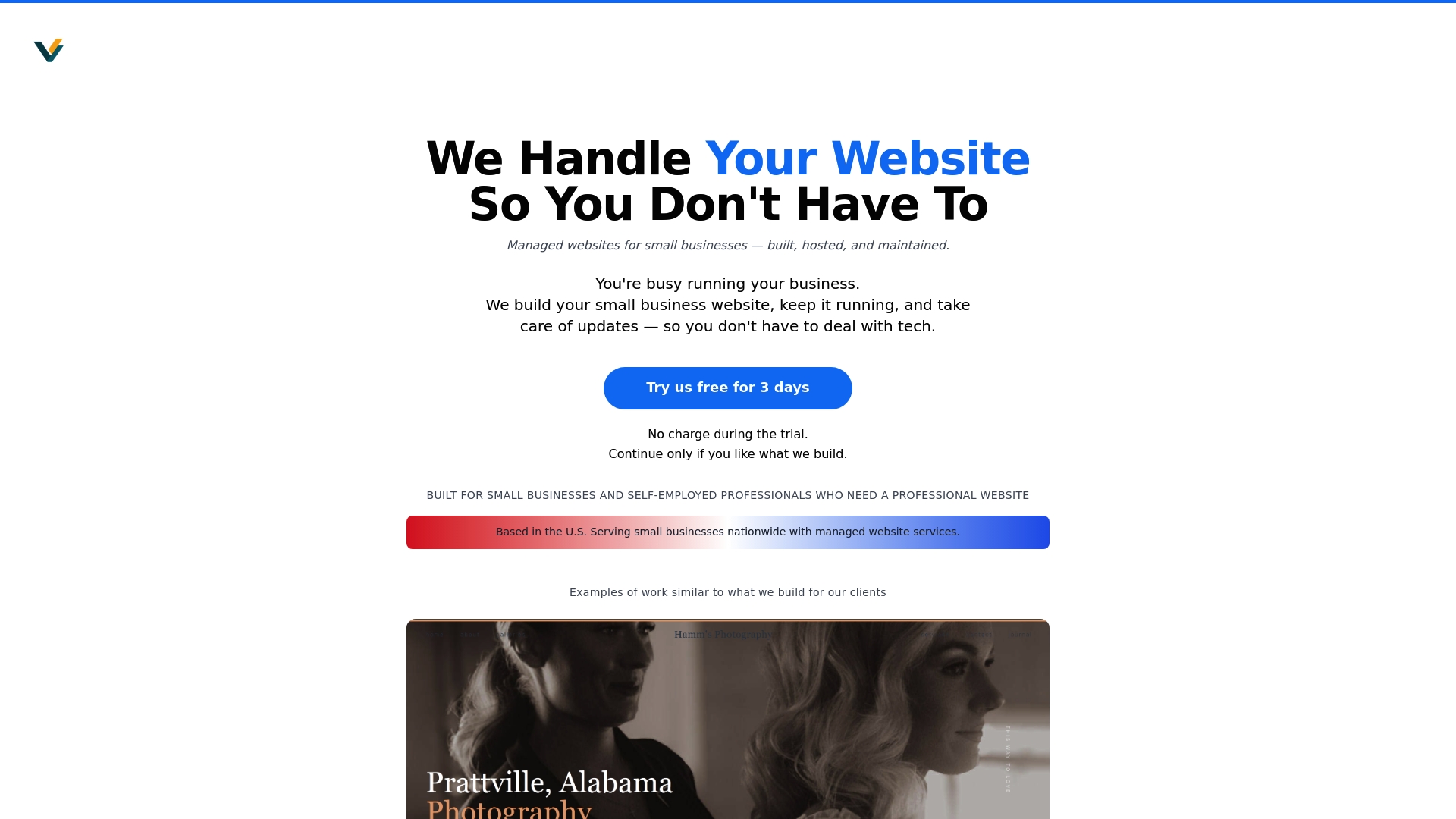
Our monthly website management plans eliminate tech headaches through one point of contact who understands your business. Start with a $69 demo and continue only if it feels like the right fit.