

TL;DR:
- Site migration involves significant website changes affecting search rankings and user trust.
- Proper planning, backups, redirects, and testing are crucial to prevent traffic and ranking losses.
- Communicating with customers and addressing branding factors are essential for a successful, business-focused migration.
Changing your website might seem as simple as flipping a switch, but the reality is far more layered. Behind every domain change, platform switch, or structural redesign lies a process that can quietly reshape your search rankings, customer trust, and overall online visibility. Many small business owners and self-employed professionals discover this the hard way, only after traffic drops or pages disappear from search results. This guide breaks down what site migration actually is, why it matters for your business, the key steps to do it right, and the mistakes you absolutely want to avoid.
Table of Contents
- What is site migration?
- Why site migration matters for your business
- Key steps for a successful site migration
- Common mistakes and how to avoid them
- Our take: What most site migration advice misses
- Ready to upgrade your website? Let us handle your migration
- Frequently asked questions
Key Takeaways
| Point | Details |
|---|---|
| Site migration essentials | Site migration involves changes that affect your website's visibility and user access. |
| SEO risks and benefits | Handled properly, migration can protect or even boost search rankings; careless migrations risk harming traffic. |
| Step-by-step process | Following a clear migration plan minimizes downtime and lost visitors. |
| Avoiding pitfalls | Common mistakes like missing backups or redirects can be prevented with careful attention. |
| When to seek help | Professional support simplifies complex migrations and ensures a smooth transition for your business. |
What is site migration?
Site migration is not just a technical term for swapping out a website. Site migration is any significant change to a website that impacts its search engine visibility, such as changing domains, platforms (CMS), URL structures, hosting, or protocol (HTTP to HTTPS). That definition is broader than most people expect.
For a small business owner, this could mean moving from a DIY builder like Wix to a more robust platform, switching from HTTP to HTTPS for security, rebranding and adopting a new domain name, or completely restructuring how your pages are organized. Each of these actions qualifies as a migration because each one has the potential to disrupt how search engines like Google understand and rank your site.
Here is a quick look at the most common types of site migration:
| Migration type | What changes | Common reason |
|---|---|---|
| Domain migration | Your website address changes | Rebranding or business name change |
| Platform/CMS migration | The software running your site changes | Outgrowing a basic builder |
| Protocol migration | Moving from HTTP to HTTPS | Security upgrade |
| URL structure migration | Page addresses are reorganized | Site redesign or better organization |
| Hosting migration | Your site moves to a new server | Speed, cost, or reliability improvements |
Small businesses and self-employed professionals typically encounter migration when they hit a wall with their current setup. Common triggers include:
- Rebranding the business and needing a new domain
- Outgrowing a basic website builder and needing more features
- Upgrading to HTTPS for security and customer trust
- Switching to a platform that better fits how you work
- Restructuring your site to improve user experience
Just like a commercial relocation involves more than just moving boxes, a site migration involves careful planning to protect what you have already built. The impact of professional web design on your business outcomes is real, and migration is one of the moments where that investment is most at risk. Understanding the key website terms involved helps you make informed decisions before, during, and after the process.
Why site migration matters for your business
Now that we know what site migration is and when you might encounter it, let's see why it really matters for your online business success.
A well-executed migration can improve your site speed, strengthen security, and even boost your search rankings over time. A poorly handled one, however, can wipe out months or years of SEO progress almost overnight. Search engines rely on consistent signals, like stable URLs and clear redirects, to understand your site. Disrupt those signals without proper planning and your rankings can fall fast.

Here is a realistic look at the risks and rewards:
| Factor | Risk if mishandled | Reward if done right |
|---|---|---|
| Search rankings | Significant traffic drop | Improved visibility over time |
| Site security | Vulnerabilities remain | HTTPS boosts trust and rankings |
| User experience | Broken pages, confusion | Faster, cleaner, easier to navigate |
| Business listings | Outdated links and info | Consistent, accurate online presence |
| Brand perception | Looks unprofessional | Stronger, more credible brand image |
The professional site design you invested in can lose its effectiveness if migration is not handled carefully. Broken links, missing pages, and slow load times all send negative signals to both visitors and search engines. Looking at service website examples from businesses that have migrated successfully shows just how much the right approach matters.
"Treat migration as an SEO-first project: involve SEO early, document everything, test rigorously. This approach prevents 90% of failures."
That is not a minor statistic. Nine out of ten migration problems are avoidable with the right preparation. Most issues stem from treating migration as a purely technical task rather than a business-critical project that needs strategy from day one.
Pro Tip: Always create a full backup of your current site before starting any migration. If something goes wrong, a backup is the fastest way to restore what you had and avoid extended downtime.
Key steps for a successful site migration
Understanding the business stakes, here is a clear roadmap to making site migration work for your small business.
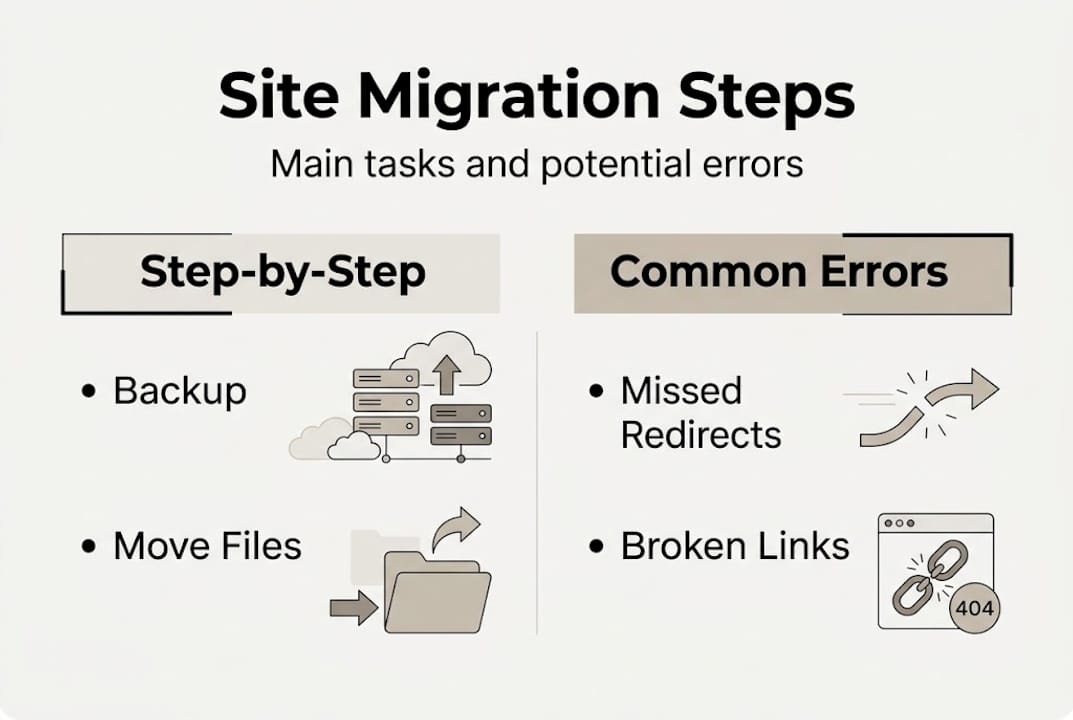
A successful migration does not happen by accident. It follows a deliberate sequence of steps that protect your existing traffic, preserve your content, and set your new site up to perform well from day one. Here is how to approach it:
- Set clear goals. Define why you are migrating and what success looks like. Is it faster load times? A new domain? Better mobile performance? Your goals shape every decision that follows.
- Inventory your current pages. List every URL on your existing site. This becomes your map for ensuring nothing gets lost in the move. Tools like Google Search Console can help you pull this data.
- Create a full backup. Before touching anything, back up your entire site, including databases, files, and media.
- Set up a staging environment. A staging site is a private copy of your new site where you can test everything before it goes live. Think of it as a dress rehearsal.
- Map your old URLs to new ones. If any URLs are changing, create a redirect plan. A 301 redirect tells search engines and visitors that a page has permanently moved.
- Update internal links and metadata. Make sure all links within your site point to the correct new addresses, and that page titles and descriptions are accurate.
- Go live during low-traffic hours. Launch off-peak hours, monitor server logs for 404s and redirect loops, request indexing of key pages in Google Search Console, and update external links and profiles promptly.
- Monitor closely after launch. Watch your analytics and Google Search Console for errors, ranking changes, and crawl issues in the days and weeks following the migration.
The step-by-step website design process shares a lot of DNA with migration planning. Both require a clear sequence and attention to detail. Reviewing a solid website optimization guide before you migrate can also highlight performance improvements worth building into your new setup. A thorough website features checklist ensures nothing critical gets overlooked during the transition.
Pro Tip: Document every change you make during migration in a shared log or spreadsheet. If something breaks post-launch, that record becomes your troubleshooting roadmap and saves hours of guesswork.
Common mistakes and how to avoid them
Even with the right plan, mistakes happen. Here are the common pitfalls and exactly how to sidestep them.
Site migration errors are frustratingly common, and most of them are preventable. The good news is that knowing what to watch for puts you well ahead of the curve.
- Not involving SEO early enough. Many businesses treat SEO as an afterthought during migration. By the time rankings drop, the damage is already done. Bring SEO considerations into the planning phase, not after launch.
- Moving without a backup. Skipping a backup to save time is one of the costliest shortcuts you can take. One technical error without a backup can mean rebuilding from scratch.
- Ignoring 301 redirects. When URLs change and no redirects are set up, both visitors and search engines hit dead ends. Every changed URL needs a redirect to its new location.
- Forgetting to update external links. Your Google Business Profile, social media bios, directories, and partner websites may all link to your old URLs. Leaving those outdated creates a poor experience and dilutes your SEO signals.
- Not testing before going live. Launching without a staging review is like opening a store without checking that the lights work. Test every page, form, and link before the public sees your new site.
As the ultimate site migration SEO checklist makes clear, treating migration as an SEO-first project and testing rigorously prevents the vast majority of failures. The pattern holds across industries and site sizes.
"Neglecting redirects is one of the single most expensive mistakes in any migration. Every broken link is a lost visitor and a lost ranking signal."
Using professional website services dramatically reduces the chance of these errors because experienced teams have migration protocols already in place. Ensuring your new site is also mobile-friendly from the start is another layer of protection against post-migration traffic loss.
Our take: What most site migration advice misses
Most site migration guides do a solid job covering the technical checklist. Redirects, backups, staging environments, these are all essential. But the majority of advice stops there, and that leaves a significant gap for small business owners.
What rarely gets discussed is the human side of migration. When your website address changes, your regular customers may get confused. When your site looks different overnight, trust can waver. These are not algorithm problems. They are brand and communication problems.
A business-first migration means thinking about your audience before you think about your URLs. It means sending an email to your customer list explaining the change. It means updating your voicemail or signage if your web address is listed there. It means treating the migration as a brand moment, not just a technical event.
The site design decisions for small businesses you make during migration should always center on what your customers need to see, trust, and act on. Technical excellence matters, but it serves the business goal, not the other way around. The most successful migrations we have seen combine a clean technical execution with clear, proactive communication to the people who matter most: your customers.
Ready to upgrade your website? Let us handle your migration
Migrating your site does not have to be a stressful, all-consuming project. With the right team handling the technical work, you can stay focused on running your business while your online presence gets the upgrade it deserves.
At Vegas Solutions, we build, host, and maintain everything for small businesses and self-employed professionals, so you always have one point of contact. Whether you are moving to a new platform, changing your domain, or starting fresh, we manage the entire process for you. Check out our simple pricing plans to see what fits your budget. We also serve businesses locally, including Montgomery AL web design and Dothan AL website builders. Start with a $69 custom demo, credited toward the build and refundable until you approve it and see exactly what your new site could look like.
Frequently asked questions
What triggers the need for a site migration?
The most common triggers include changing your business name or domain, switching platforms or hosts, and security upgrades like moving to HTTPS. Site migration covers any significant change that impacts how your site is found and ranked online.
How long does a typical site migration take?
A standard migration for a small business can take anywhere from a few days to several weeks depending on complexity and preparation. Larger sites with more pages and custom features generally require more time.
Will my website lose search traffic after migration?
With careful planning and proper redirects, you can minimize or avoid losses, though short-term dips are possible. Treating migration as SEO-first and testing thoroughly before launch prevents most ranking drops.
What's the most important thing to check post-migration?
Immediately verify that all pages work, redirects are in place, and request indexing of key pages in Google Search Console. Also update any external links and business profiles that point to your old site.


